Quick Access button
Quick Access button
The Quick Access button in the live video call menu opens a website you use often with a single click. It gives receptionists instant access to the web tools they need during a call, such as a booking system, a payment terminal page or an internal directory, without leaving the call.
Set your Quick Access URL
- Click the gear icon next to your name at the bottom left of the dashboard.
- Under Personal, select Notifications & calls.
- In the Quick access URL section, enter the full address of the website, including https://.
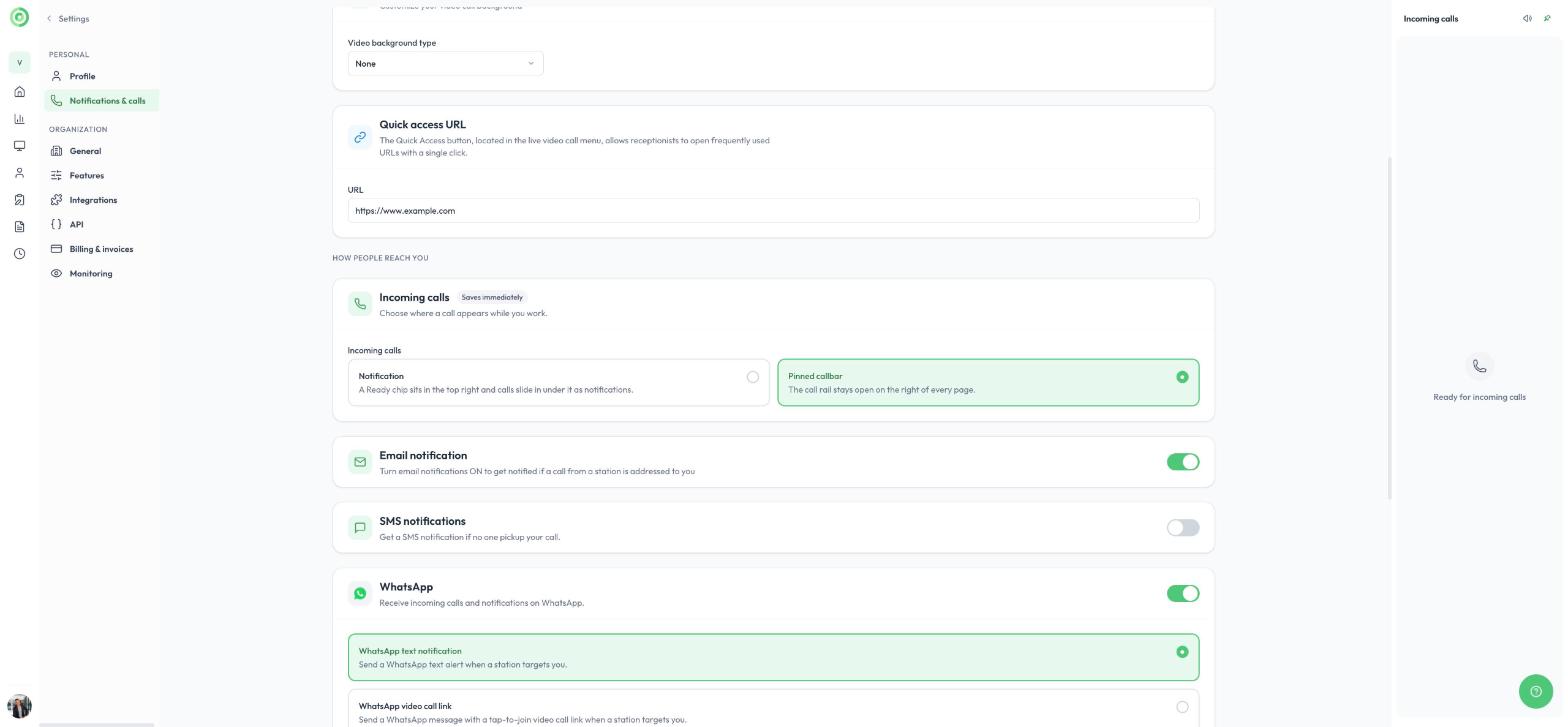
The Quick access URL setting
The Quick Access URL is a personal setting, so each user can choose the website that suits their own work.
Use Quick Access during a call
During a live video call, click the Quick Access button in the call menu. The website opens in a new browser tab, and your call continues.
To learn about the other tools available during a call, read Live Call Features.