Settings Menu
Settings Menu
To open Settings, click the gear icon next to your name at the bottom left of the dashboard. Settings has two parts:
- Personal settings apply only to your own account.
- Organization settings apply to everyone in the organization. Depending on your role, you may not see all of them.
When you belong to several organizations, the organization card at the top of each Organization page shows which one you are editing. Click it to switch.
Personal
Profile
Your first and last name and your photo. Your email address is how you sign in, so it cannot be changed here; contact support to move your account to another address. The page also shows which organization you are currently in.
- Language: the language the dashboard uses.
- Time format: show times as 24-hour (13:00) or 12-hour (1:00 PM). This changes how times appear in your call history, sign-in history, transaction history and pre-registration exports. It applies only to your own account; the default is 24-hour.
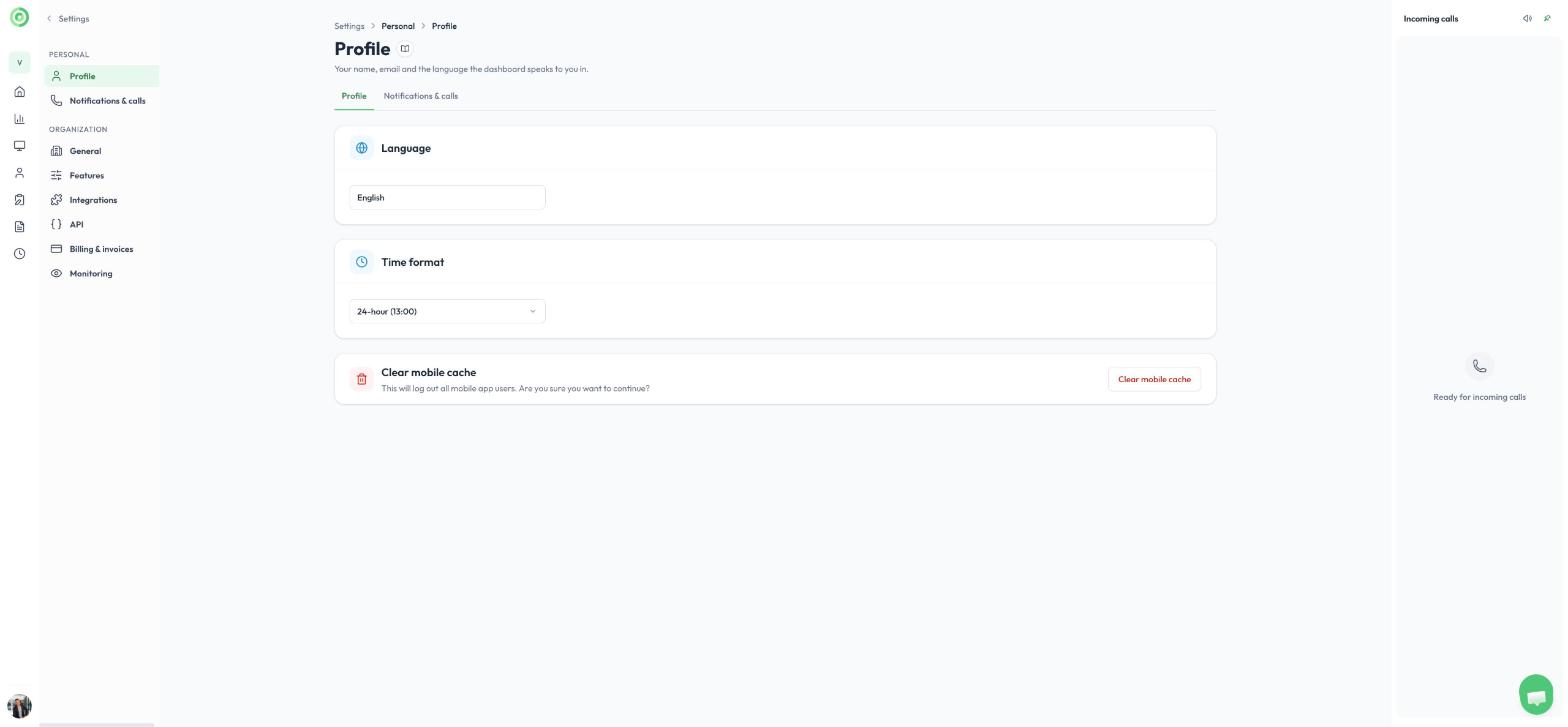
The Language and Time format settings on the Profile page
Notifications & calls
How calls reach you and what happens when you cannot answer.
During a call
- Camera and microphone: choose the devices used for video calls.
- Video background: choose a background for your video during calls (Chrome only).
- Quick access URL: a website you can open with one click from the live call menu. To learn more, read Quick Access button.
How people reach you
- Incoming calls: show calls in a Pinned callbar that stays open on the right, or as Notifications that slide in under a Ready indicator at the top right.
- Email notification: get an email when a station calls you.
- SMS notifications: get a text message if you do not pick up a call from a station.
- WhatsApp: receive a text alert or a tap-to-join video call link on WhatsApp. To learn more, read WhatsApp Integration.
- Call forwarding: forward the call to your mobile phone or landline if you do not answer in Virtual Front Desk.
Connected apps
- Slack: receive call notifications by Slack direct message, and optionally in a channel. Your organization must first connect Slack under Integrations. To learn more, read Slack integration.
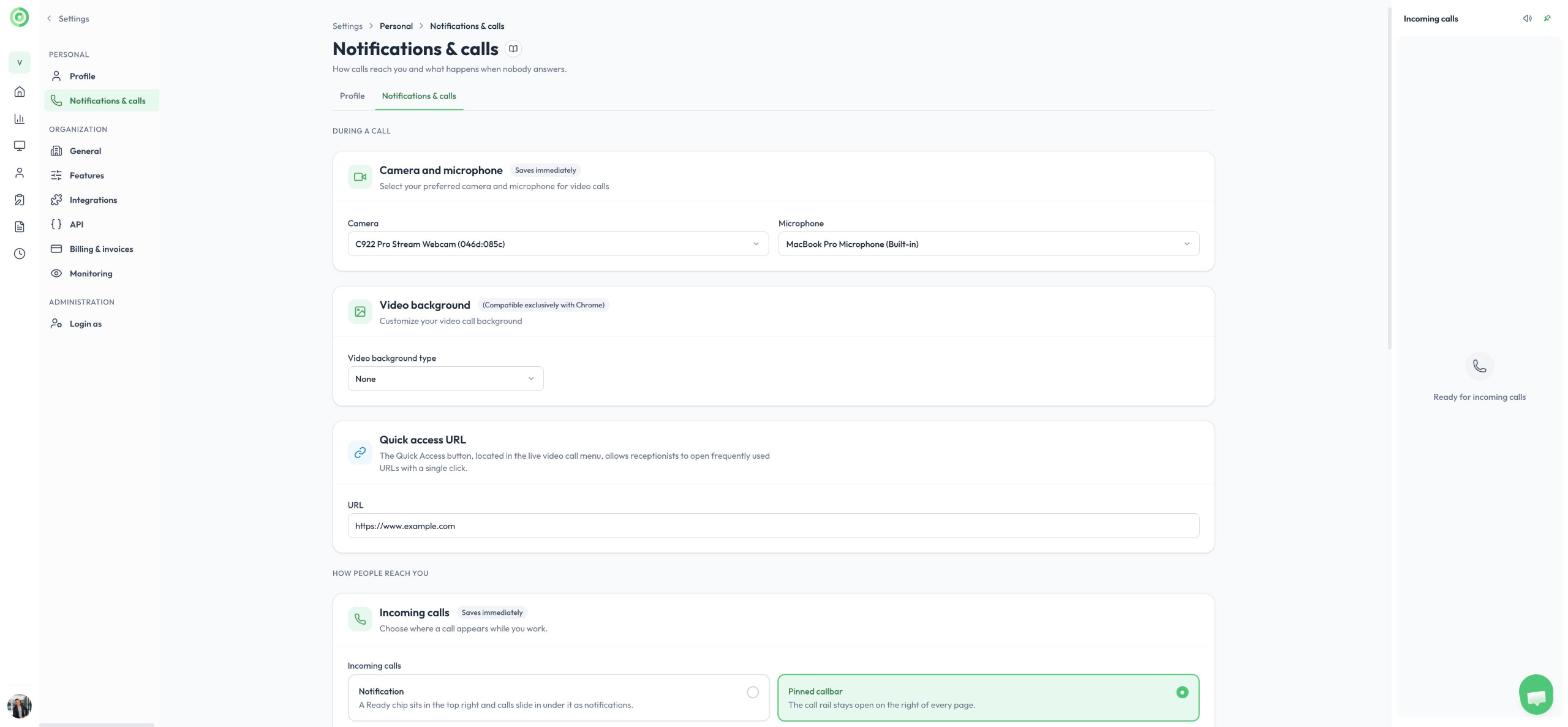
Notifications & calls
Organization
General
- Change the Organization name. The Organization ID is set when the organization is created and cannot be changed.
- Transfer ownership to an admin. You become an admin.
- Delete organization, which permanently deletes the organization and all its data.
To create a new organization or switch to another one, use the organization menu at the top left of the dashboard. To learn more, read Organizations, owner, admin and regular users.
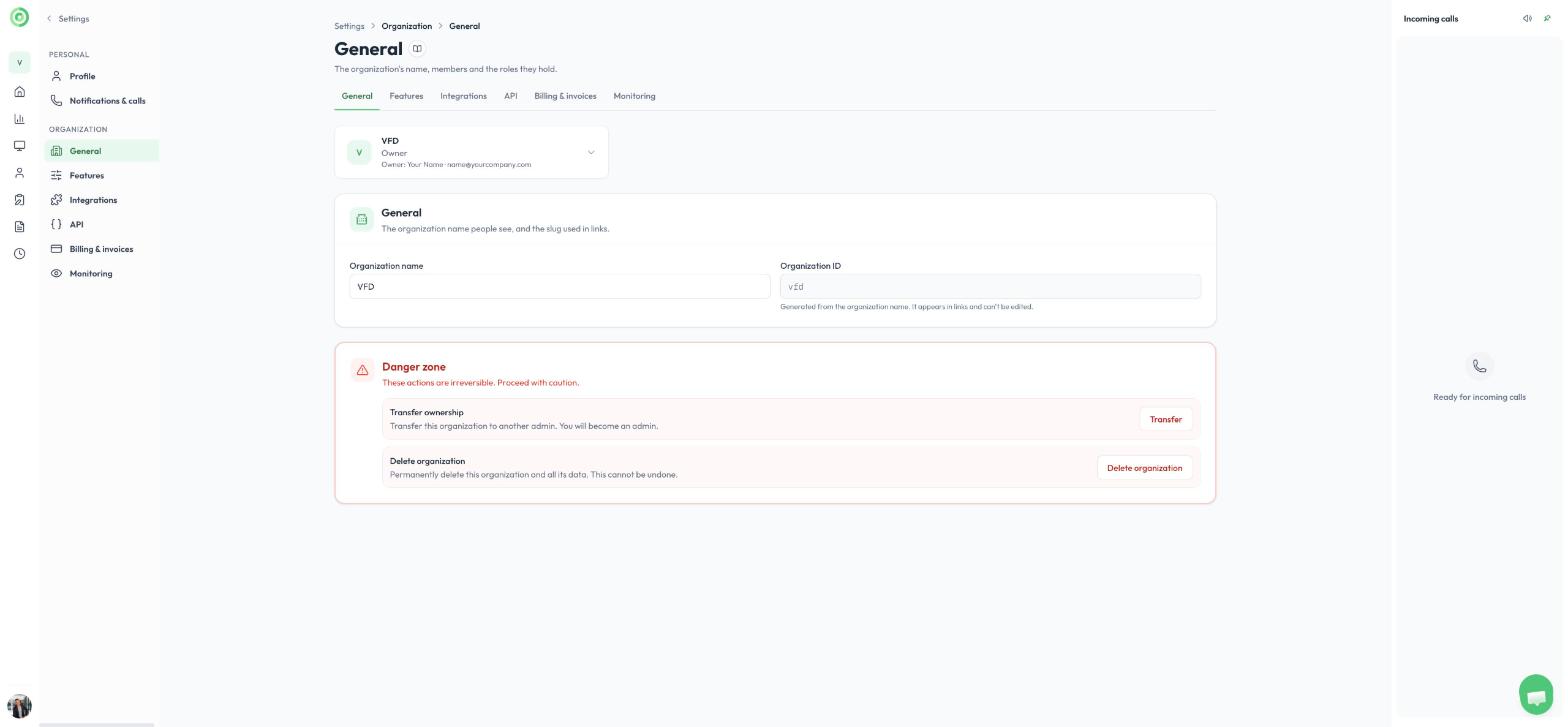
General
Features
Turn optional features on or off for the whole organization:
- Timesheets: lets users clock in and out. To learn more, read Clock in Clock out, Timesheets.
- Auto-delete visitor history: visitor history (sign-ins, calls, photos, signatures and documents) older than the retention period is permanently deleted each night. The default retention period is 12 months. Contact support to increase it.
- Call waiting music: plays music while visitors wait for their call to be answered. Set the volume or upload your own MP3, WAV or OGG file (up to 10 MB).
- Ring tones: choose the sound played on a station when another station calls it, and the sound played on the dashboard when a call is waiting.
- Closed captions: shows live, translated captions during video calls, including Microsoft Teams calls.
- Star review: lets visitors rate their call with stars at the end of the call.
- Require multi-factor authentication: users must use multi-factor authentication to sign in to the dashboard with a username and password. Signing in to the mobile app is not affected.
- Call forward time: how many seconds a call rings before going to the fallback phone number, when a call queue group is not used. The default is 30 seconds.
Visitor search on the station is set on each list (a group, a station button or a sign-in form), not here. To learn more, read Station search: hide names until the visitor searches.
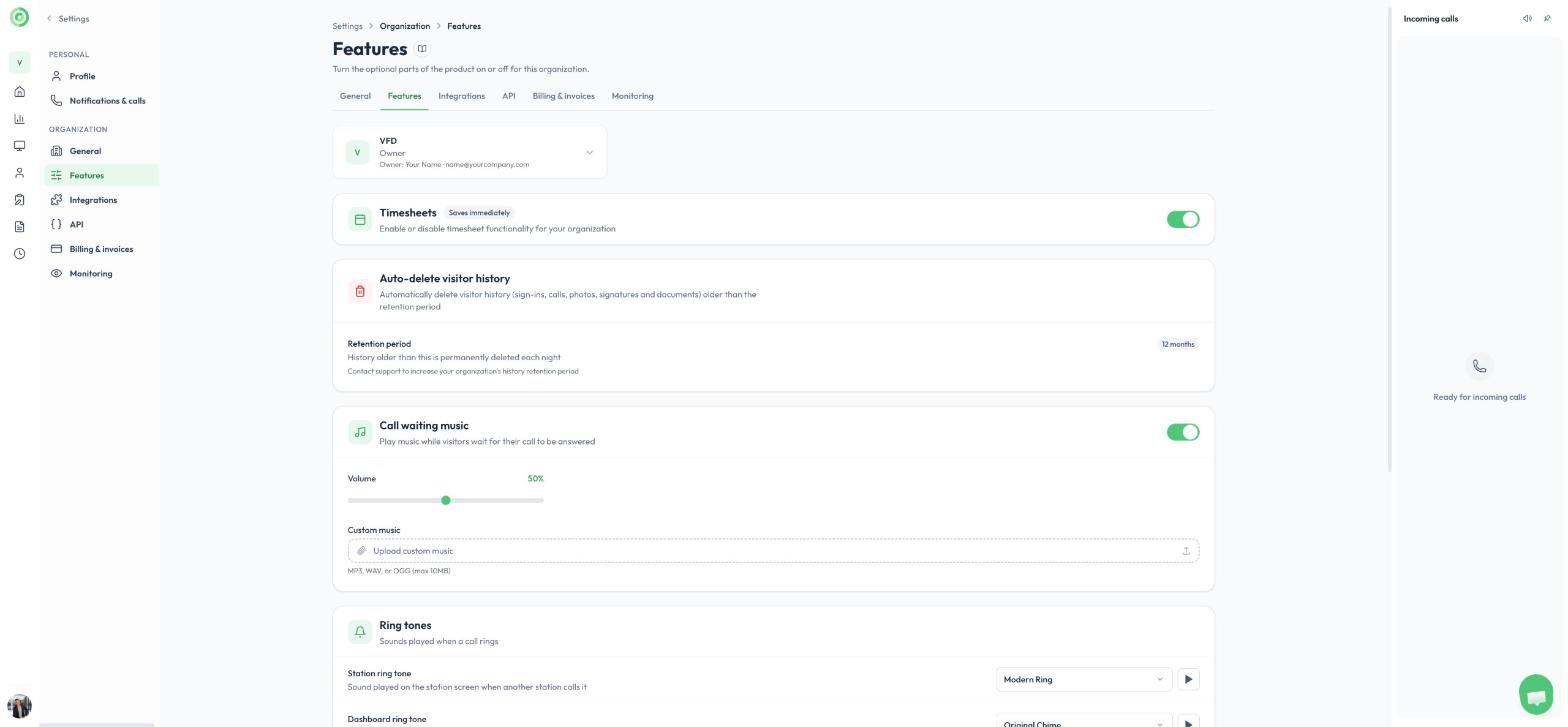
Features
Integrations
Connect Virtual Front Desk to other services:
- Payment terminals: connect Stripe to take credit card payments during calls, then add a terminal from the station's Payment tab. To learn more, read Payments Stripe Terminal.
- Microsoft Azure directory: connect Microsoft Entra ID (Azure Active Directory) to import users and groups instead of inviting them by email. The page shows which account is connected and its access level. You can connect any Azure tenant for which you have valid Microsoft credentials.
- Slack workspace: connect Slack so users can receive call notifications there. Each user then links their own Slack account under Notifications & calls.
- Okta SSO: let users sign in with your company's Okta. Users invited with an email address in your domain are sent to Okta automatically. To learn more, read OKTA integration SSO sign in.
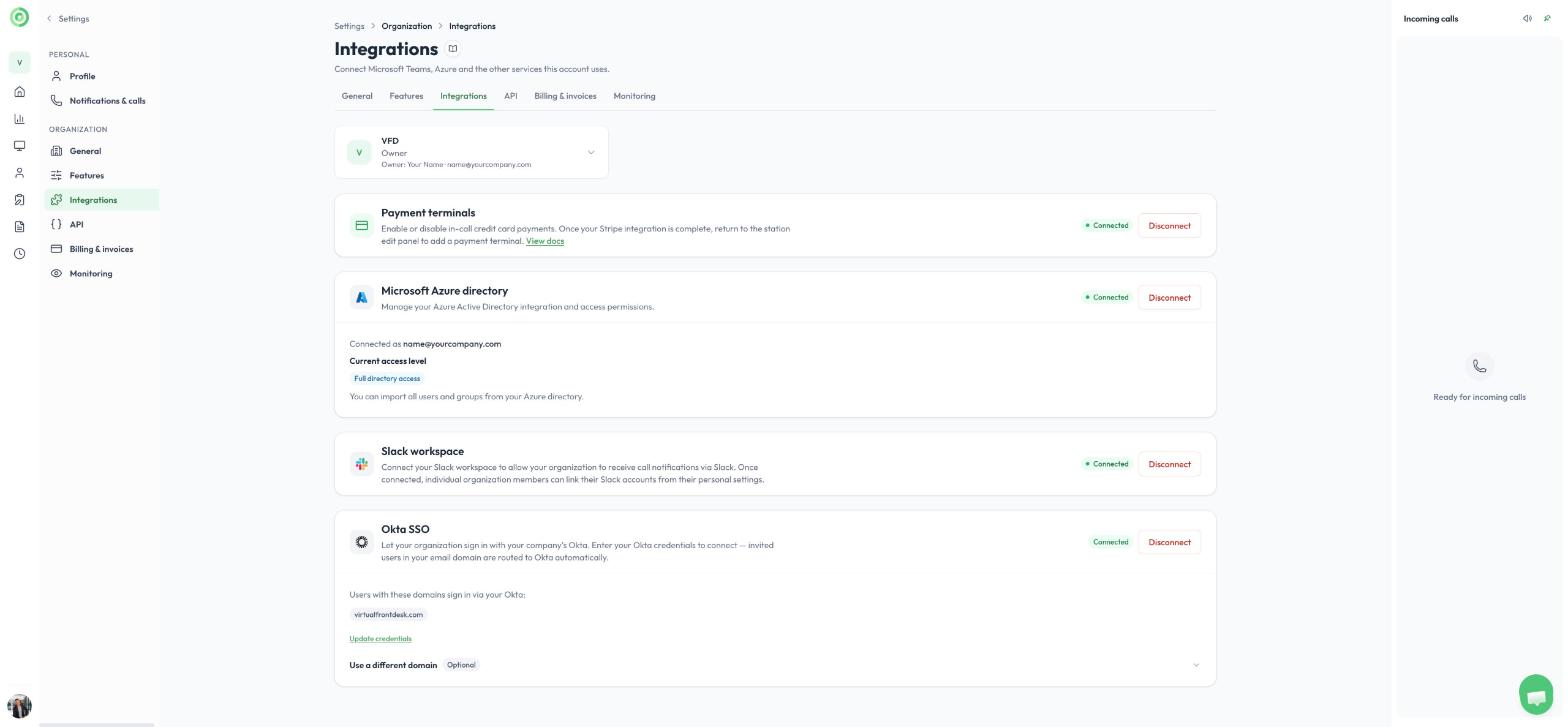
Integrations
API
Connect your own software, or an AI assistant, to your Virtual Front Desk data. On this page you can create and manage API keys, copy the addresses used to connect an AI assistant (MCP) such as Claude Code, Cursor or VS Code, set up Webhooks that notify your systems when something happens, and see your API Usage. Only users with the Owner, Admin or Manager role can open the API page. To learn more, read Virtual Front Desk API: overview and getting started.
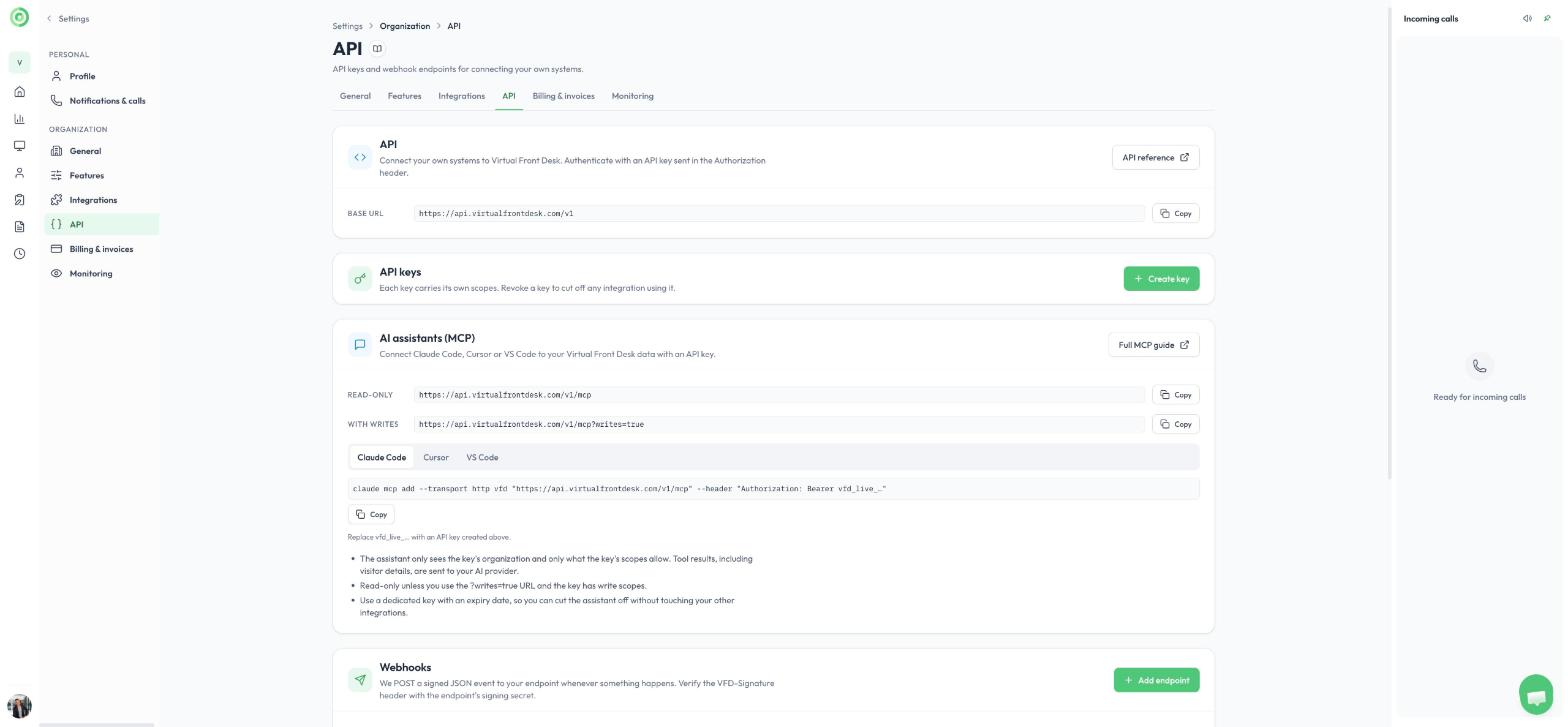
The API page
Billing & invoices
Manage your billing details and payment method, choose or cancel your plan, buy prepaid credit, see what your account is charged for each month, and download your invoices. To learn more, read Subscriptions, free trial, and pre paid credit.
Monitoring
Turn live monitoring on or off for each station in the organization. The cards at the top show how many stations you have, how many have monitoring enabled and how many are streaming now. To learn more, read Monitoring or live streaming your stations.
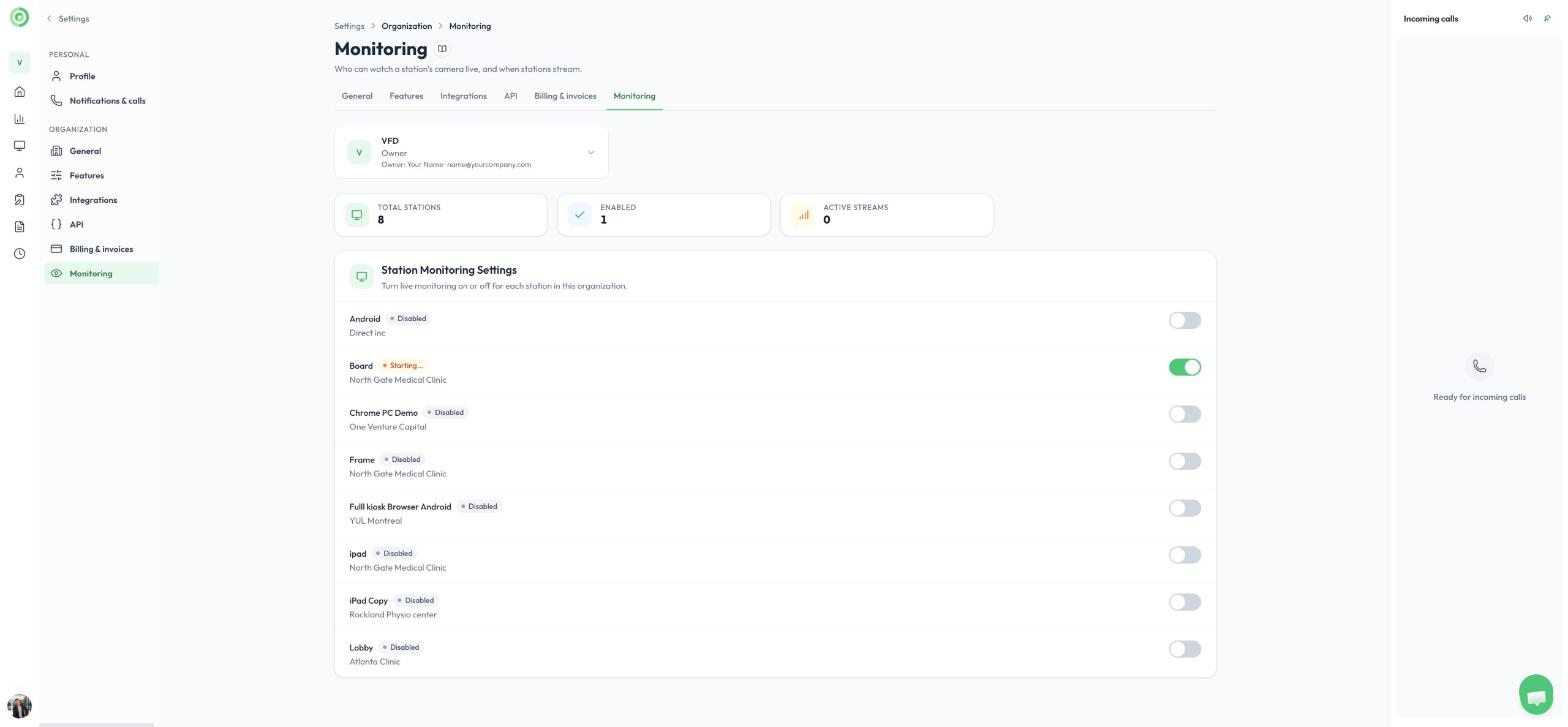
Monitoring