
Subscriptions, free trial, and pre paid credit
Subscriptions, Free Trial and Prepaid Credit
Start your free trial, manage your plan and save with prepaid credit.
Everything related to your subscription is on one page. Click the Settings icon (the gear) next to your name, then under Organization, select Billing & invoices. Only the account owner and administrators can manage billing.
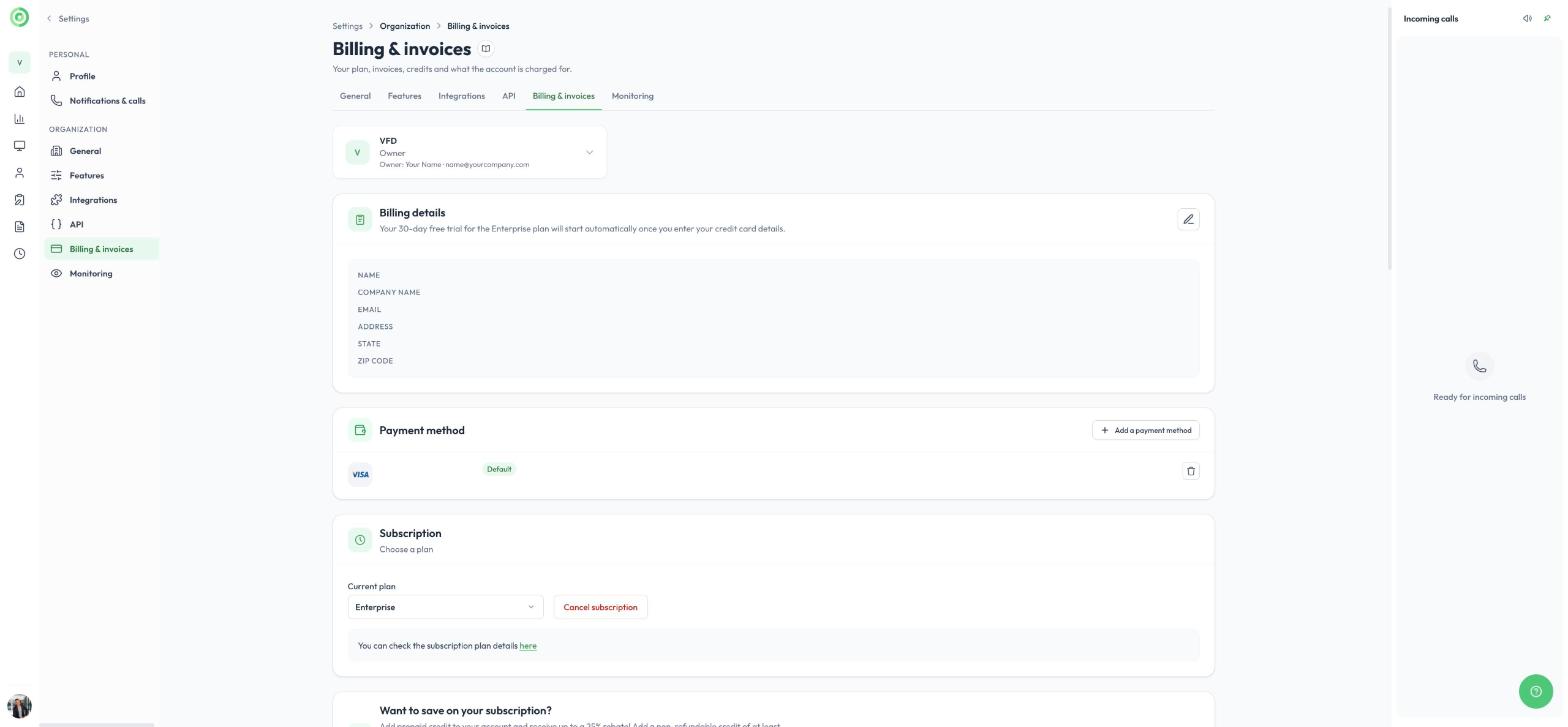
The Billing & invoices page
Free trial
Every new Virtual Front Desk account starts on the Enterprise plan with a 30-day free trial.
- To create your first station, enter your billing details and a valid credit card under Payment method. You are not charged during the trial.
- Your 30-day free trial starts when you enter your credit card details.
- If you switch to another plan before the 30-day trial ends, you are billed right away.
Change or cancel your plan
Under Subscription, use the Current plan menu to switch plans. Click here to compare what each plan includes, or visit virtualfrontdesk.com/pricing.
Monthly subscriptions can be canceled at any time: click Cancel subscription.
You pay for active stations
Charges are based on the number of activated stations, including stations that are offline. If you duplicated stations or activated stations on several devices during your trial, keep only the ones you use. To remove a station, go to Stations, open the station’s menu (the three dots next to it) and click Delete.
The Current usage & pricing section shows what your account is charged for this month: your active stations, plus AI agent stations and AI agent minutes if you use the AI agent. AI agent charges apply on top of any subscription plan, including Enterprise.
Prepaid credit
Save up to 25% on your subscription by adding prepaid credit to your account:
| Prepaid credit you add | Bonus credit |
|---|---|
| $500 or more | 20% |
| Over $1,000 | 25% |
The bonus applies to any plan. Under Want to save on your subscription?, enter an amount: the total value of credit you will receive, bonus included, appears next to it. Click Buy credit to add it. Your balance appears under Available credits.
When your credit is used up, regular monthly charges apply again. You can add more credit at any time.
Note: prepaid credit is non-refundable.
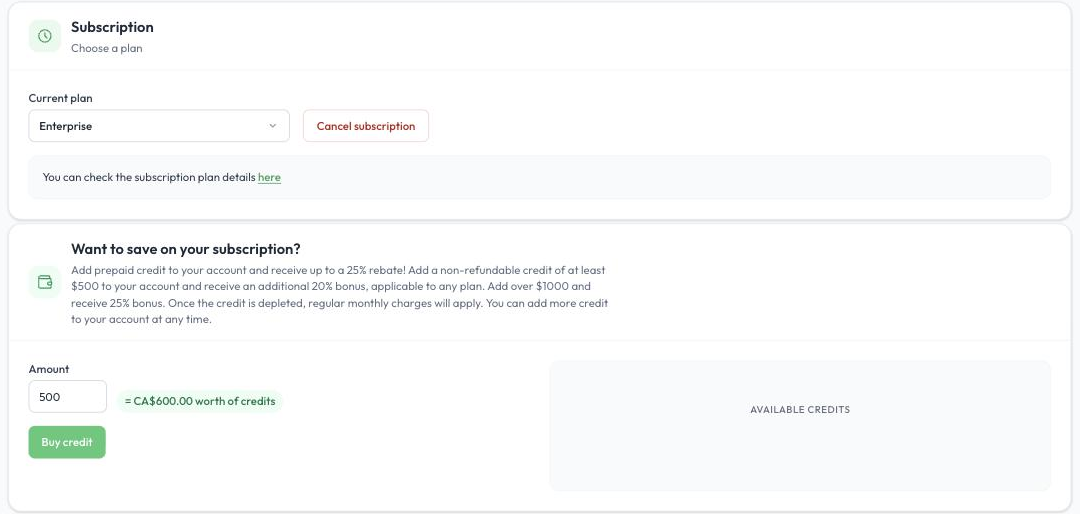
The Subscription and prepaid credit sections
Invoices
All past invoices are listed under Invoices history at the bottom of the Billing & invoices page.