Monitoring, Live streaming your stations
Monitoring or live streaming your stations
Live monitoring lets you keep an eye on the lobby or area where your station is located. While the station keeps showing its welcome screen and buttons, its camera streams a live feed that you can watch from your dashboard. Live monitoring is available only on the Enterprise plan.
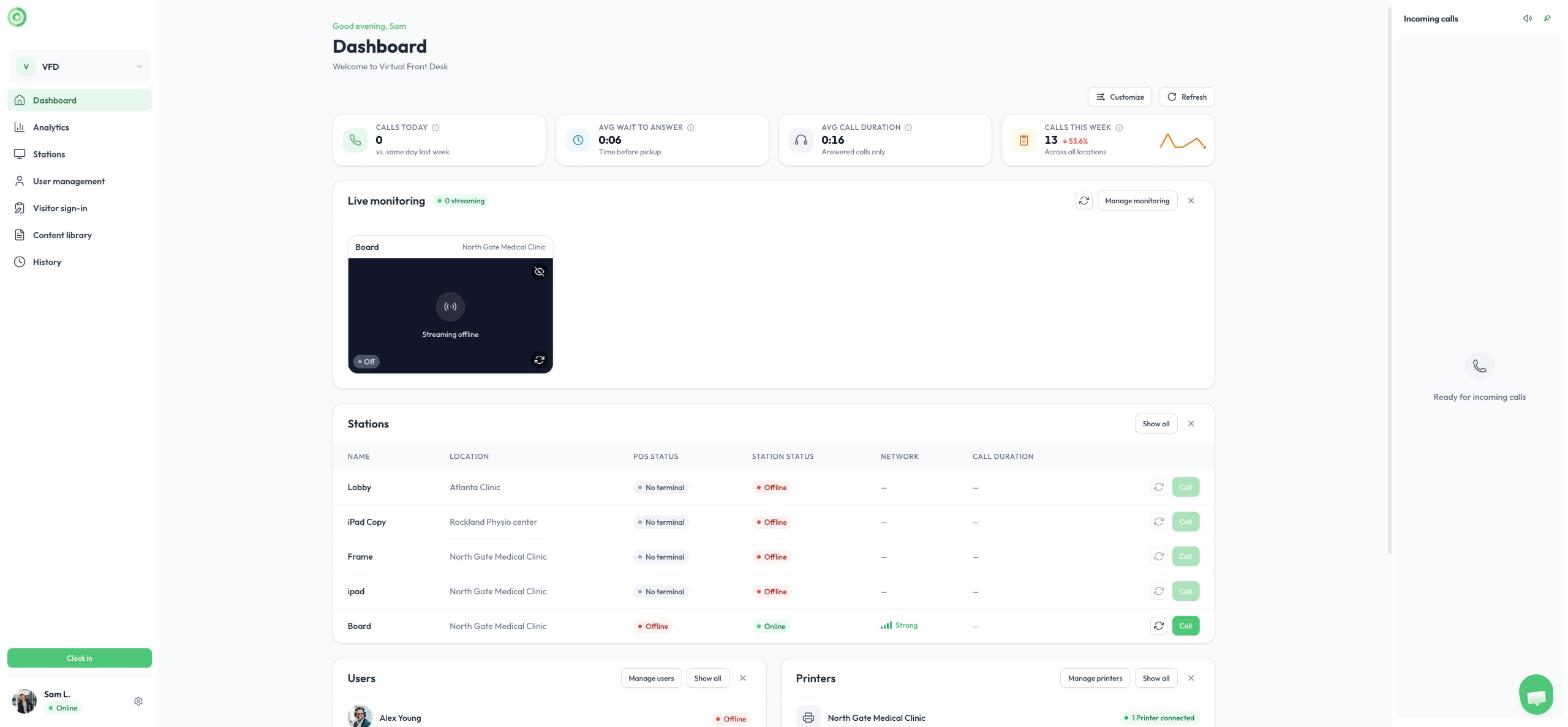
The dashboard, with the Live monitoring card
Turn on monitoring
- On your dashboard, click Set up on the Live monitoring card. You can also click the gear icon next to your name, then under Organization, select Monitoring.
- Under Station Monitoring Settings, turn on monitoring for each station you want to watch.
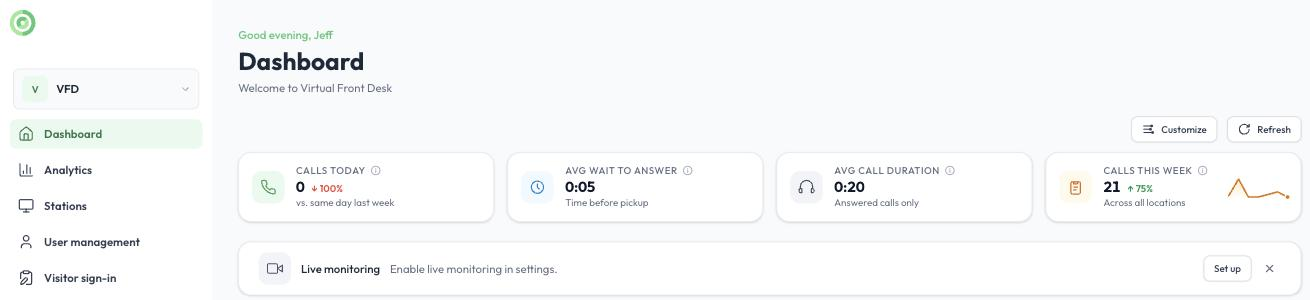
The Live monitoring card on the dashboard
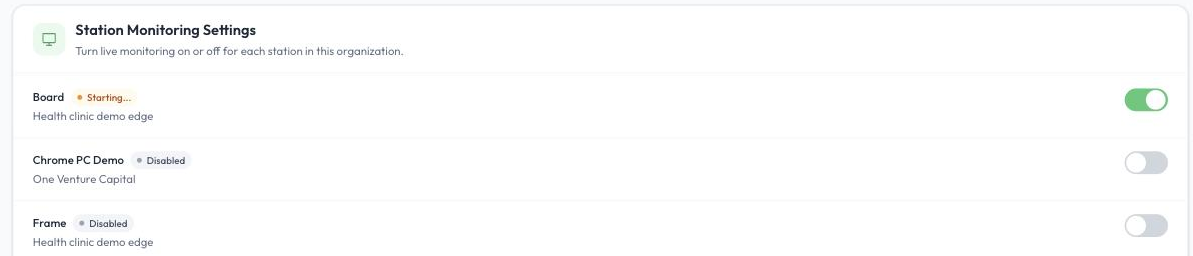
Turning monitoring on or off for each station
The cards at the top of the Monitoring page show how many stations you have, how many have monitoring turned on, and how many are streaming now. Users can only monitor stations in locations they have permission to access.
Watch your stations
Once monitoring is on, the Live camera feeds appear on your dashboard. If you see a visitor you would like to help, start a video call right away by clicking the call icon on the live feed, or the Call button next to that station in your dashboard’s station list.
You can monitor as many stations as you like, but only four live feeds can be viewed at the same time. Switch between stations by changing pages, and choose which four stations to display by collapsing or expanding individual feeds.
For example, with 12 stations and 3 receptionists, each receptionist can monitor 4 stations, so together they cover all 12.
About the video quality
To avoid additional subscription costs, the monitoring stream is intentionally low resolution. It may look slightly pixelated and run 3 to 4 seconds behind. As soon as you start a video call, normal video quality is restored. The monitoring stream is designed to give you a quick view of the lobby, not high-definition video.