Clock in Clock out, Timesheets
Clock in Clock out, Timesheets
Timesheets let you track how much time your receptionists and other users spend working in Virtual Front Desk. Users clock in when they start their shift and clock out when they finish, and every session is recorded in the Timesheets tab, where administrators can review and download the data.
Turn on timesheets
Timesheets are included with the Enterprise license. An administrator can turn the feature on or off for the whole organization:
- Click the gear icon next to your name at the bottom left of the dashboard.
- Under Organization, select Features.
- Turn on Timesheets. The change is saved immediately.

The Timesheets setting in Features
Clock in and clock out
When timesheets are turned on, a Clock in button appears at the bottom left of the dashboard, just above your name.
- Click Clock in when you start working. A timer starts recording your time.
- Click Clock out when you finish.
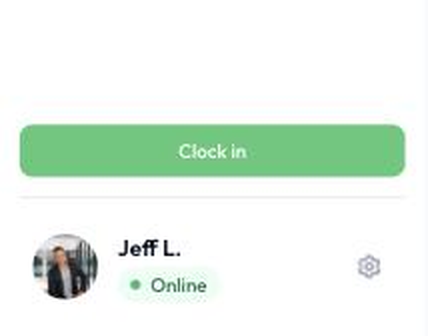
The Clock in button
Review and download timesheets
- In the main menu, click User management, then open the Timesheets tab.
- Use the filters to choose a User (or all users) and a Period, such as today, yesterday, this week, last week, this month or last month. You can also set a custom Start date and End date.
- Review each entry, with the user, date, clock-in time, clock-out time and duration.
- Click Download to export the timesheet data.
The cards at the top of the page summarize the selected period: total hours, average hours per day, days worked and active users.
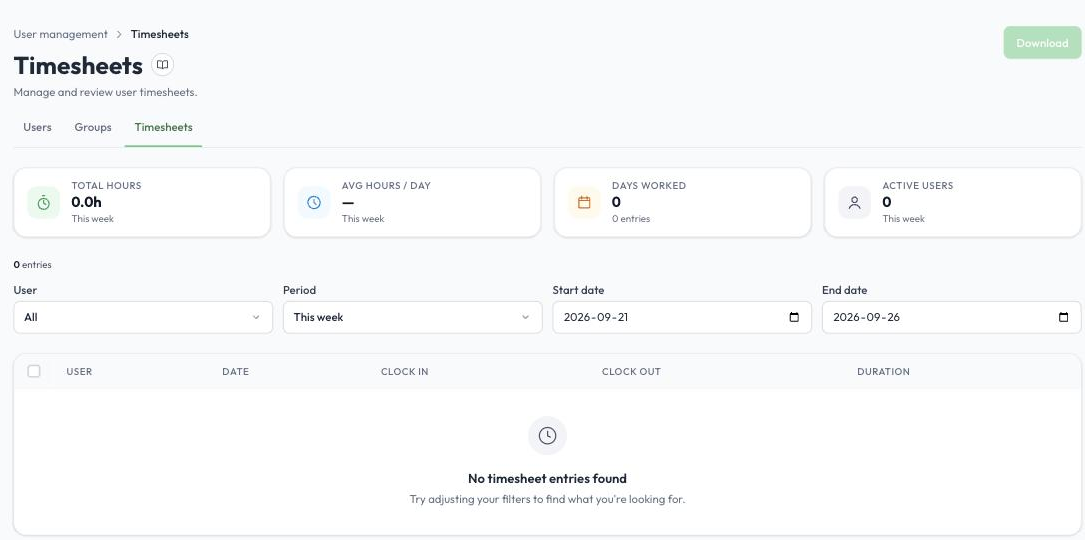
The Timesheets tab