Organizations, owner, admin and regular users
Organizations, owner, admin and regular users
An organization is your company’s Virtual Front Desk account: its stations, users, settings and billing. You can belong to several organizations and switch between them at any time.
Roles
The email address used to create an organization becomes its Owner. Everyone else is an Admin, a Manager or a User:
| Role | Access |
|---|---|
| Owner | Full access, including billing and transferring ownership. |
| Admin | Same access as the owner, except transferring ownership. |
| Manager | Same access as an admin, except billing. |
| User | Limited access for day-to-day reception tasks and the dashboard. |
New users are assigned the User role by default. To change a user’s role, go to User management, click the pencil icon next to the user and select the new role. To learn more, read Users.
Switch or create an organization
Click the organization name at the top left of the dashboard. The menu lists every organization you belong to and your role in each; a check mark shows the one you are working in. Click another organization to switch to it.
To create a new organization, click Create new organization in the same menu and follow the steps. Organization settings opens the settings of the organization you are in.
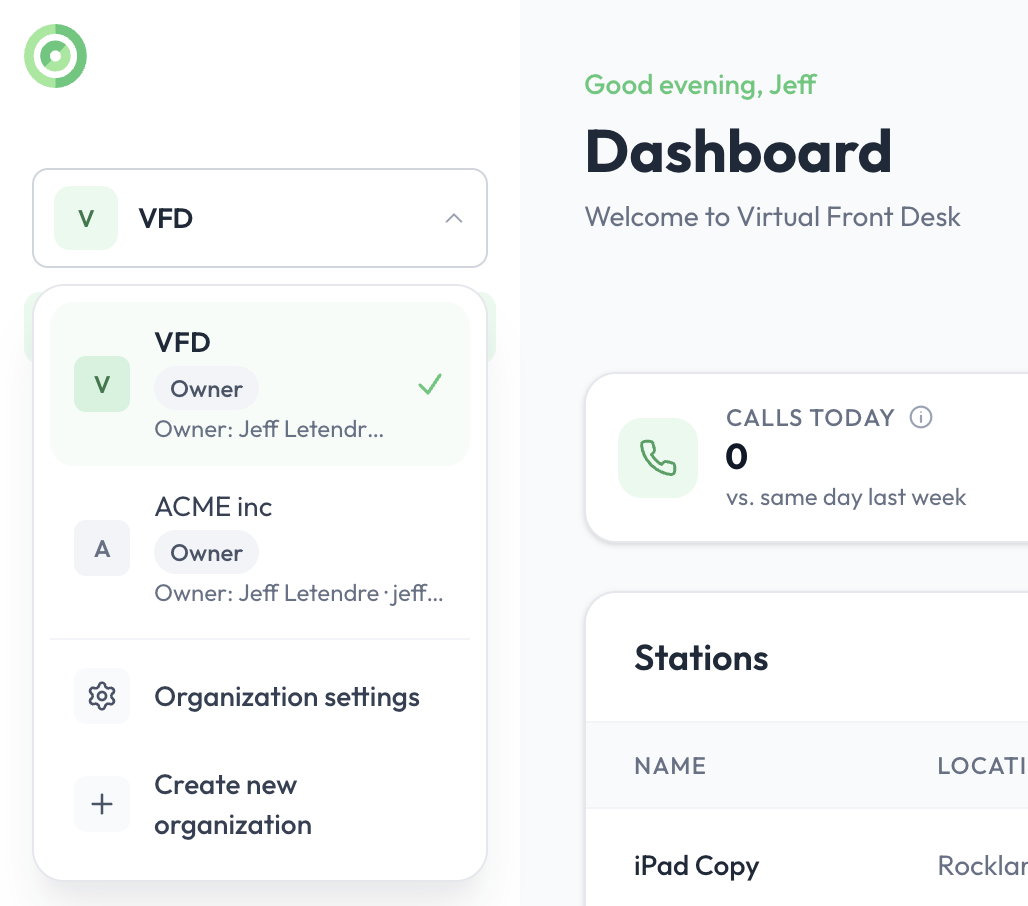
The organization menu at the top left of the dashboard
Note: If you belong to several organizations, you receive calls and notifications from all of them at the same time, whichever organization you are currently viewing.
Rename, transfer or delete an organization
Go to Settings > General (click the gear icon next to your name at the bottom left, then General under Organization). There you can:
- Change the Organization name. The Organization ID is generated from the original name and cannot be changed.
- Transfer ownership to another admin. You become an admin. Only the owner can do this, and the new owner must already be an admin.
- Delete organization, which permanently deletes the organization and all its data.
Transferring ownership and deleting an organization cannot be undone.
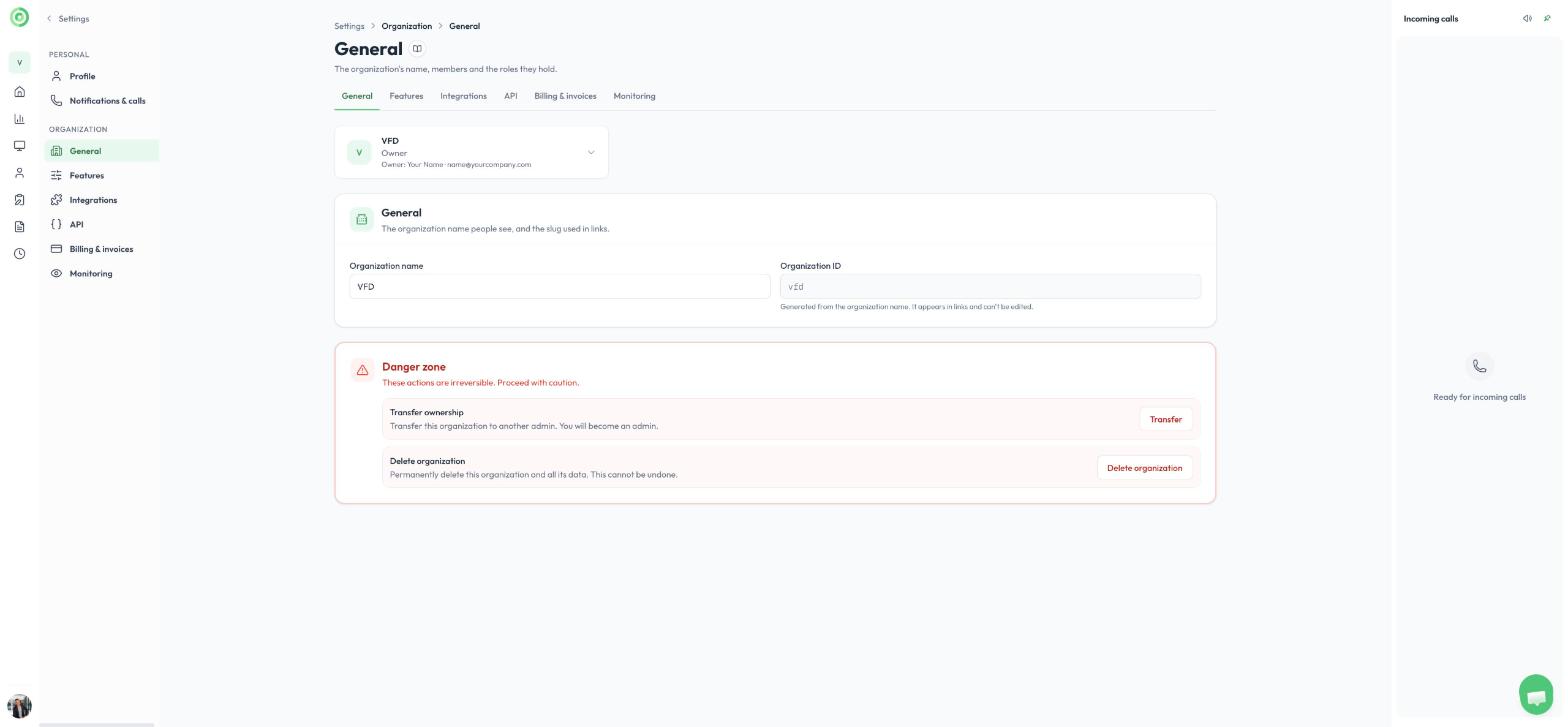
Organization settings, General