
History ; Call logs, Other Actions, Sign in logs, Pre-Registration logs, Transaction logs and AI Conversations
History: Call logs, Other actions, Sign-in logs, Pre-registration logs, Transaction logs and AI conversations
History, in the main menu on the left, keeps a record of everything that happens at your stations. It has six logs: Call logs, Other actions, Sign-in logs, Pre-registration logs, Transaction logs and AI conversations.
Every log works the same way:
- The cards at the top summarize the last 30 days.
- Use the search bar and the filters (date range, location, station and more) to find specific records.
- Click the eye icon on a row to see its details.
- Click Export All to download the records.
Visitor history is automatically deleted after your organization’s retention period, 12 months by default. See Settings > Features > Auto-delete visitor history.
Call logs
Every call placed from your stations, with its status (answered, missed or hung up), location, station, the button the visitor pressed, date, time, duration, and the user who answered. The cards show total calls, average wait before a call is answered, average call duration and answer rate.
A paper clip icon means documents were saved during the call, such as screenshots, ID photos, signed documents or messages. Click the eye icon to view and download them.
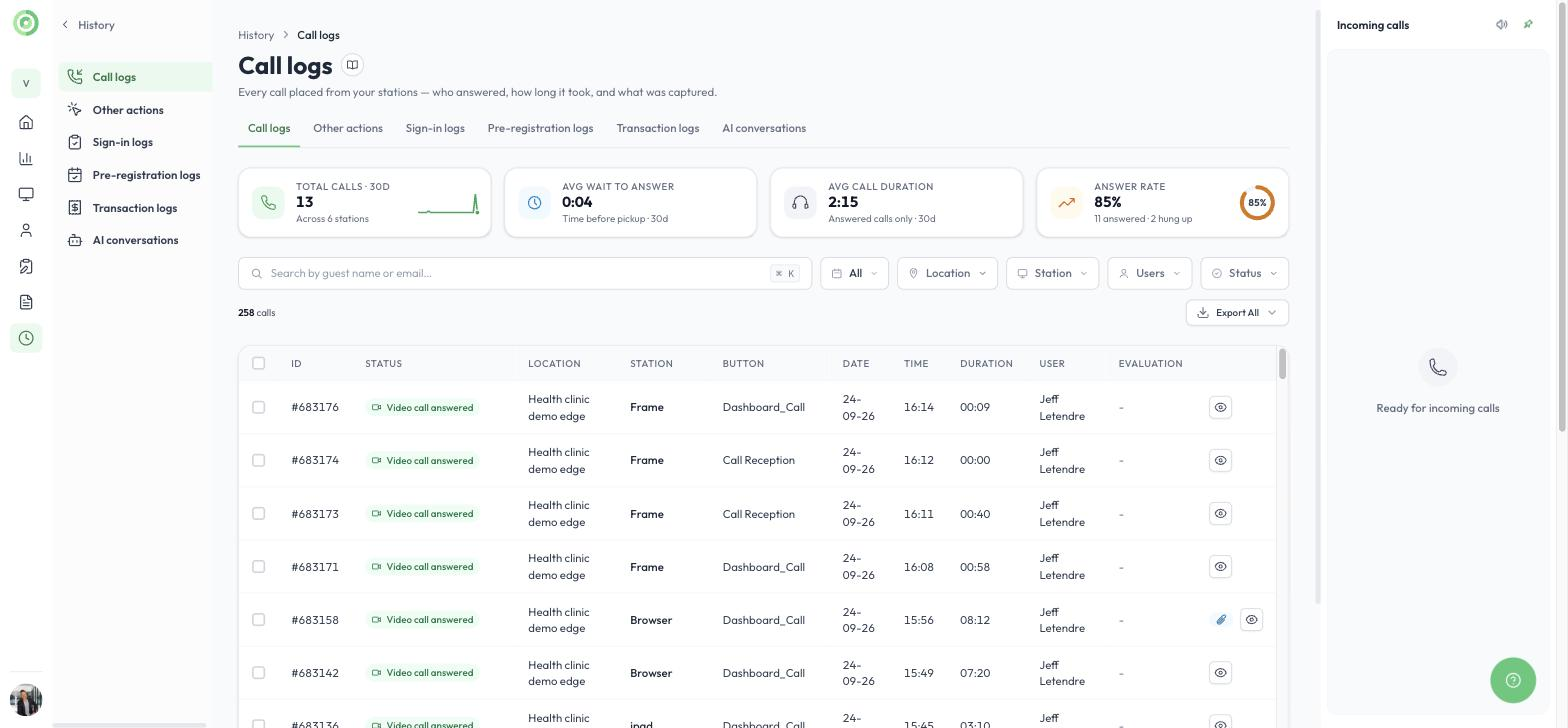
Call logs
Other actions
Everything else visitors and users did at a station: opening a PDF or QR code, placing a video call, and actions taken during calls such as sharing a screen, capturing an ID or sharing a link. The cards show which features are used most and how many stations use them. Filter by Action type to see one kind of action.
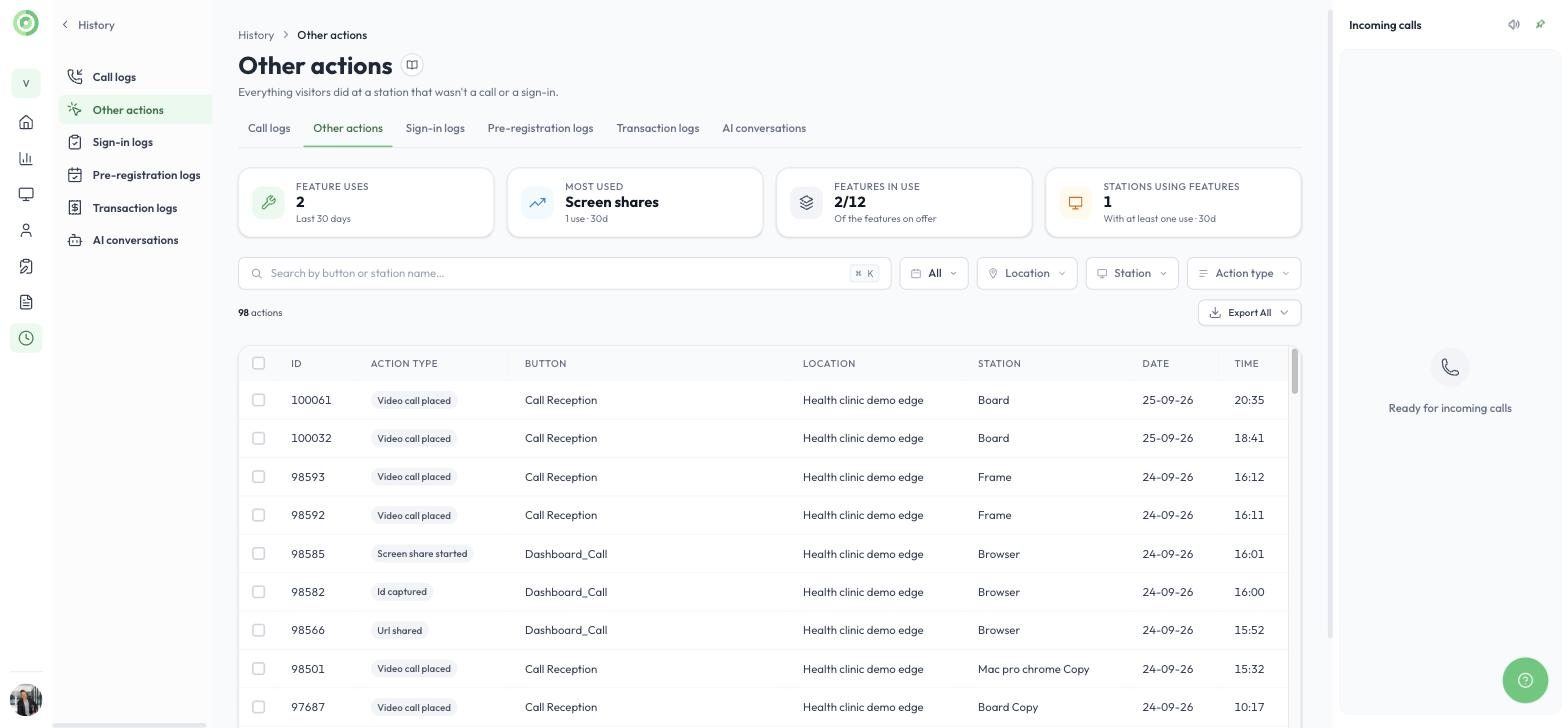
Other actions
Sign-in logs
Every visitor who signed in at a station: their photo, location, name, email, the person they came to see, the sign-in form they used, and the date and time. Click the eye icon to see their answers, signed documents and photos.
If a visitor forgot to sign out, click Sign out on their row to sign them out.
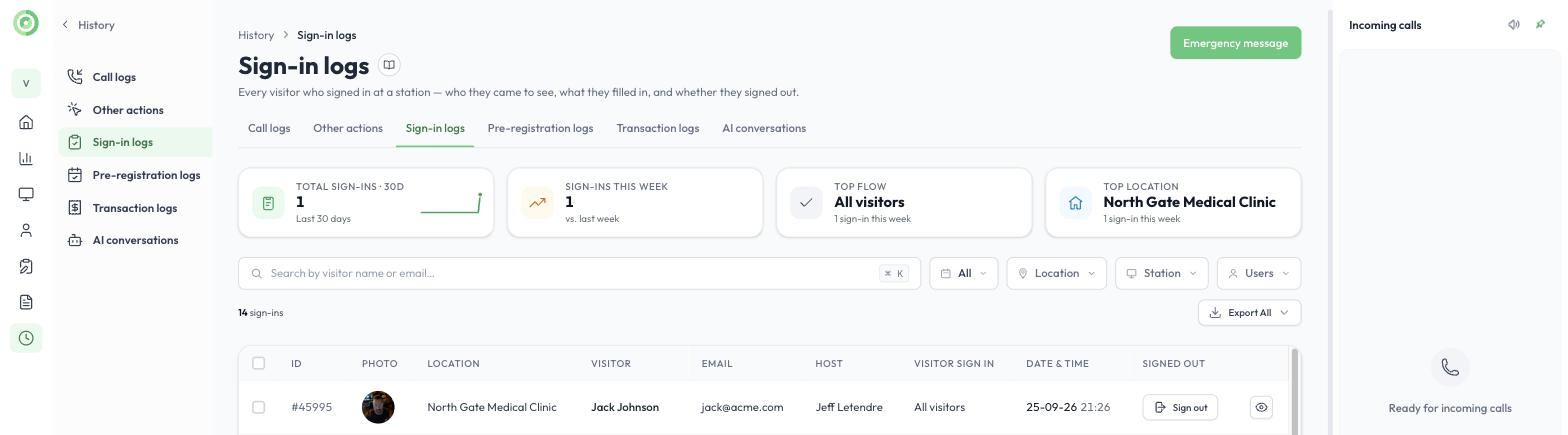
Sign-in logs
Clicking the eye icon opens the visitor’s sign-in record. It shows the date, time and location, the visitor’s answers to each form question, the selfie taken at the station, and any document they signed. Download the selfie or the signed document with the download icons, or click Download file to save the whole record.
Emergency message
Click Emergency message at the top right of Sign-in logs to send an SMS to every visitor who signed in today, has not signed out yet, and left a mobile number. You can:
- Edit the subject and message, and save it as a template.
- Choose which locations receive the message.
- Send a test to your own phone first. Only that number receives the test.
Emergency messages only reach visitors who signed in with a form that has emergency messages enabled. Turn this on in the sign-in form’s Advanced settings.
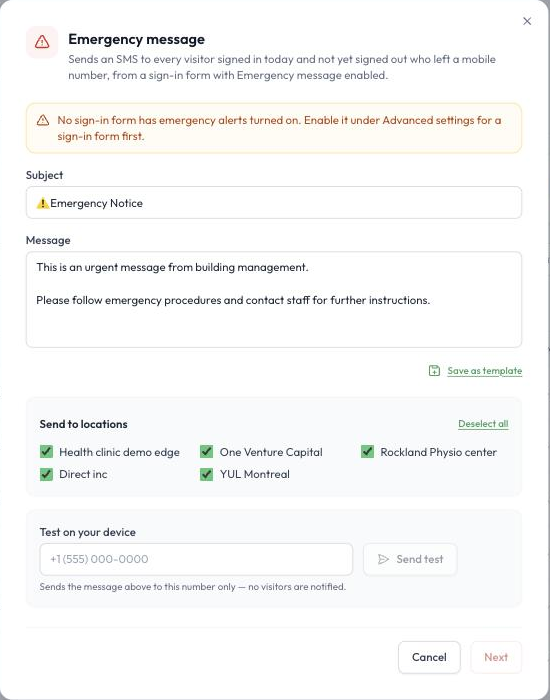
Sending an emergency message
Pre-registration logs
Visitors you invited ahead of time, with their host, visit date, location and status:
- Pending: the invitation was sent, but the visitor has not completed the form yet.
- Pre-Registered: the visitor received the invitation email and filled in their information before arriving, so they do not need to fill in the form at the station.
- Completed: the visitor arrived and checked in at the building.
The cards show invitations sent, how many visitors arrived, no-shows and visits still scheduled. To confirm a visitor actually signed in at the building, check Sign-in logs. You can also find the list of pre-registrations in your sign-in form’s menu, where you can resend an invitation if needed.
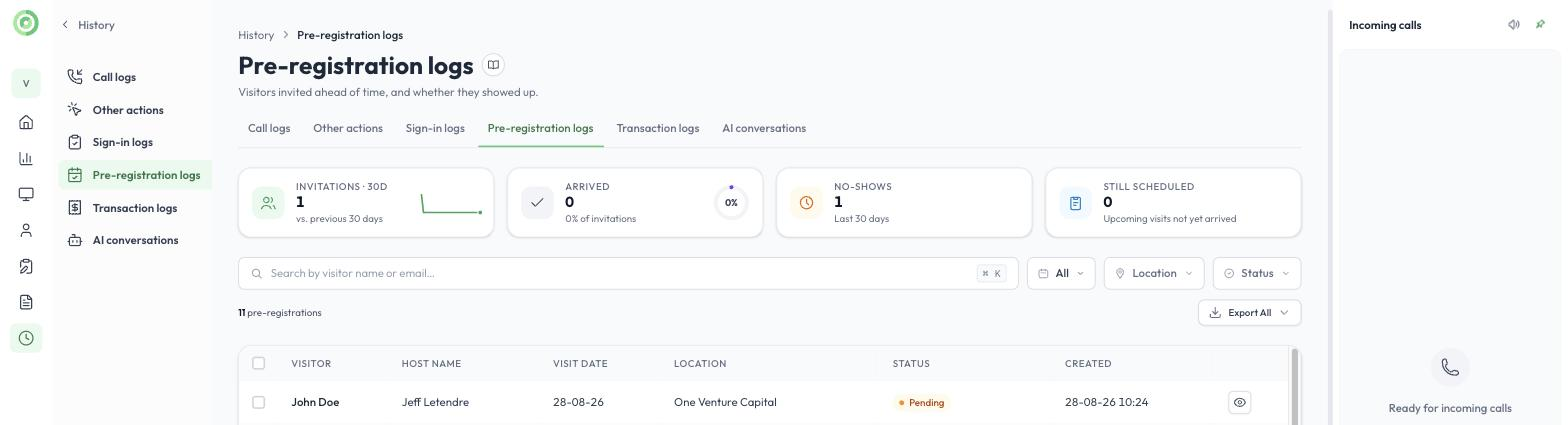
Pre-registration logs
Transaction logs
Every payment taken with a Stripe terminal at a station: terminal, amount, currency, status, client name and email, and date and time. The cards show the amount collected, successful payments, the average transaction, and refunds and failures. To learn more, read Payments Stripe Terminal.
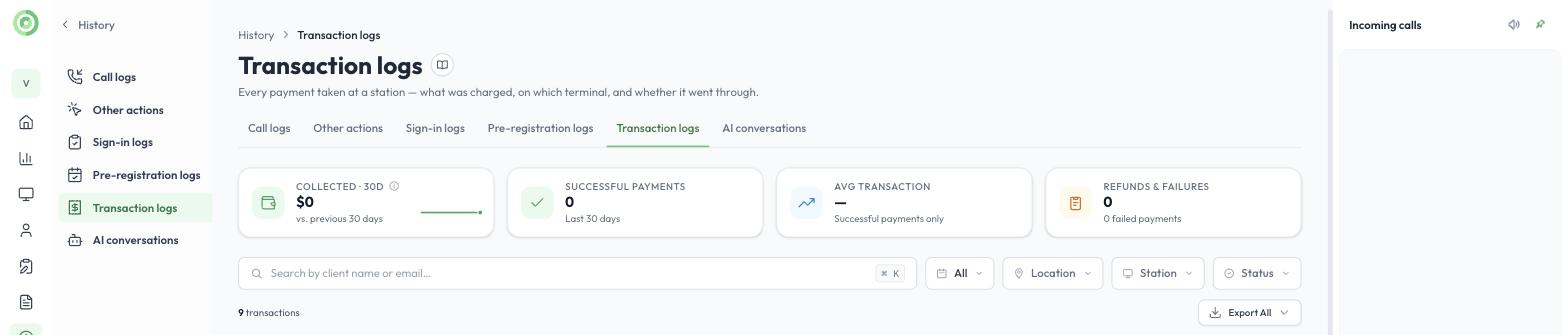
Transaction logs
AI conversations
Every conversation the AI receptionist had with a visitor, with the station, location, date, number of turns, labels and a summary. The cards show how many visitors replied to the AI receptionist, how often it handed the visitor to a person, and the most common topic. To learn more, read the AI Agent Setup Guide.
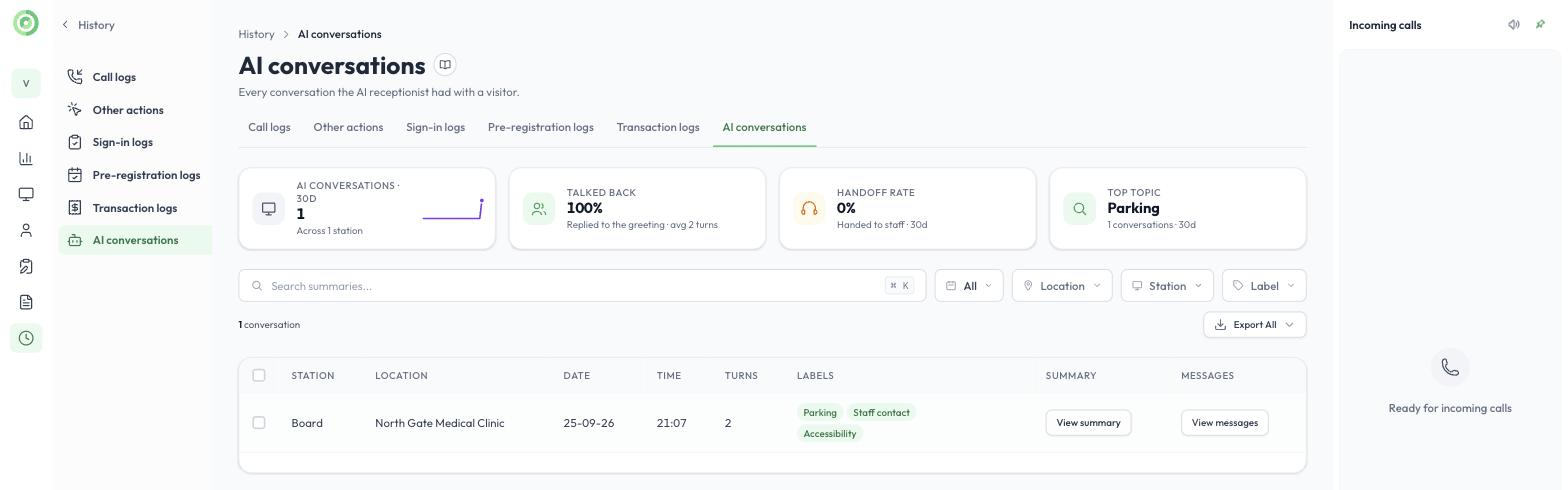
AI conversations
Click View messages to read the full conversation between the visitor and the AI receptionist, shown as chat bubbles, or View summary for a short summary.
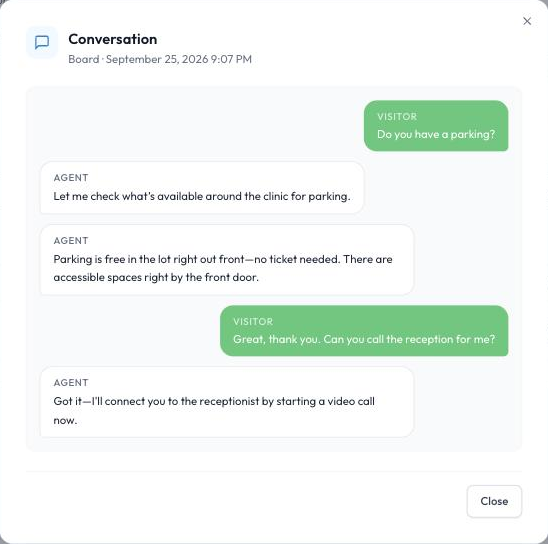
A conversation with the AI receptionist