Phone calls and call forwarding
Virtual Front Desk offers several ways to incorporate phone numbers into your station setup.
1. Phone call button
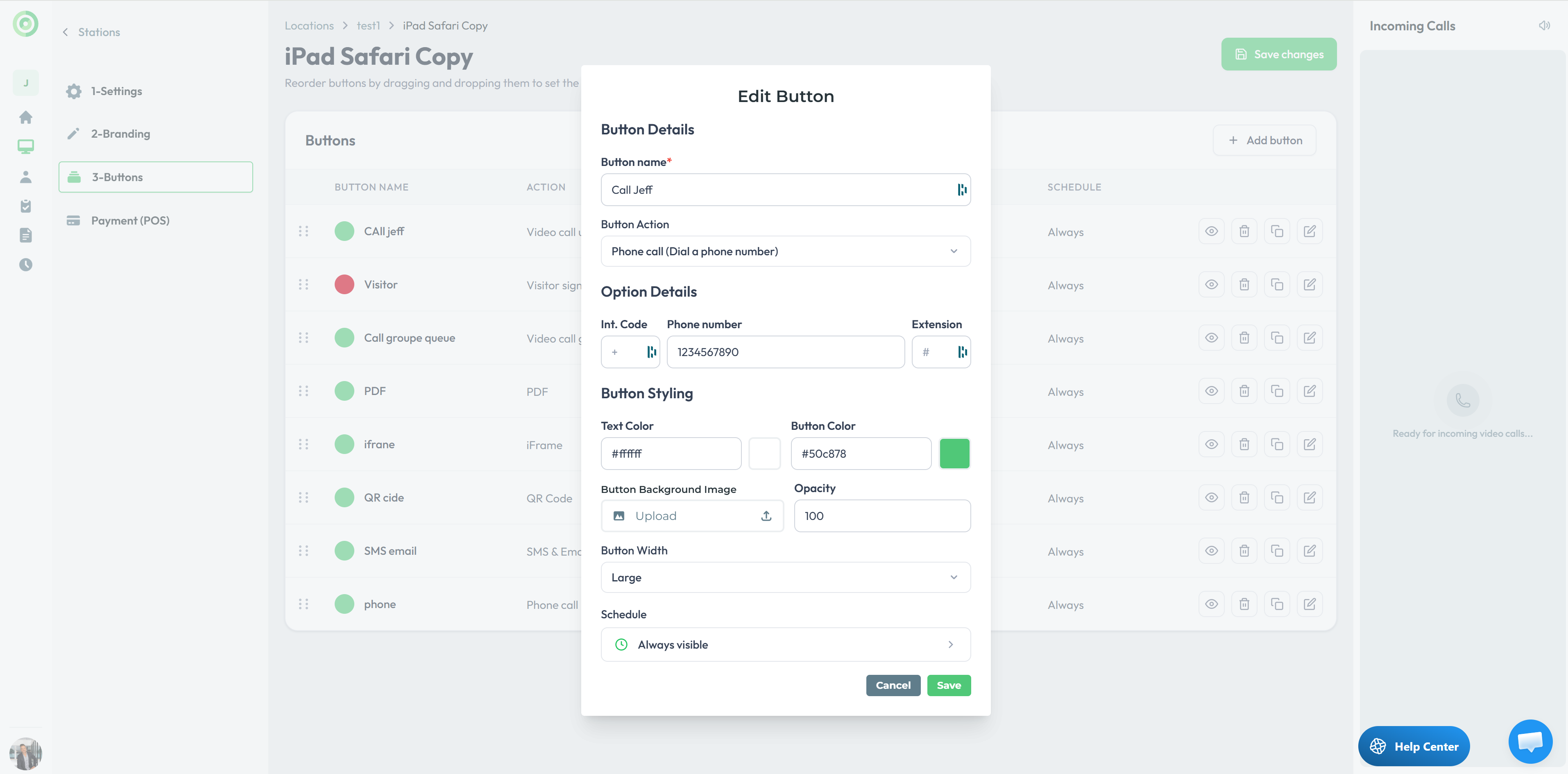
Create a button, give it a name, and select the Phone Call action. Enter the destination phone number. When a visitor clicks the button on the station, the system dials the number immediately.
2. User-level call forwarding
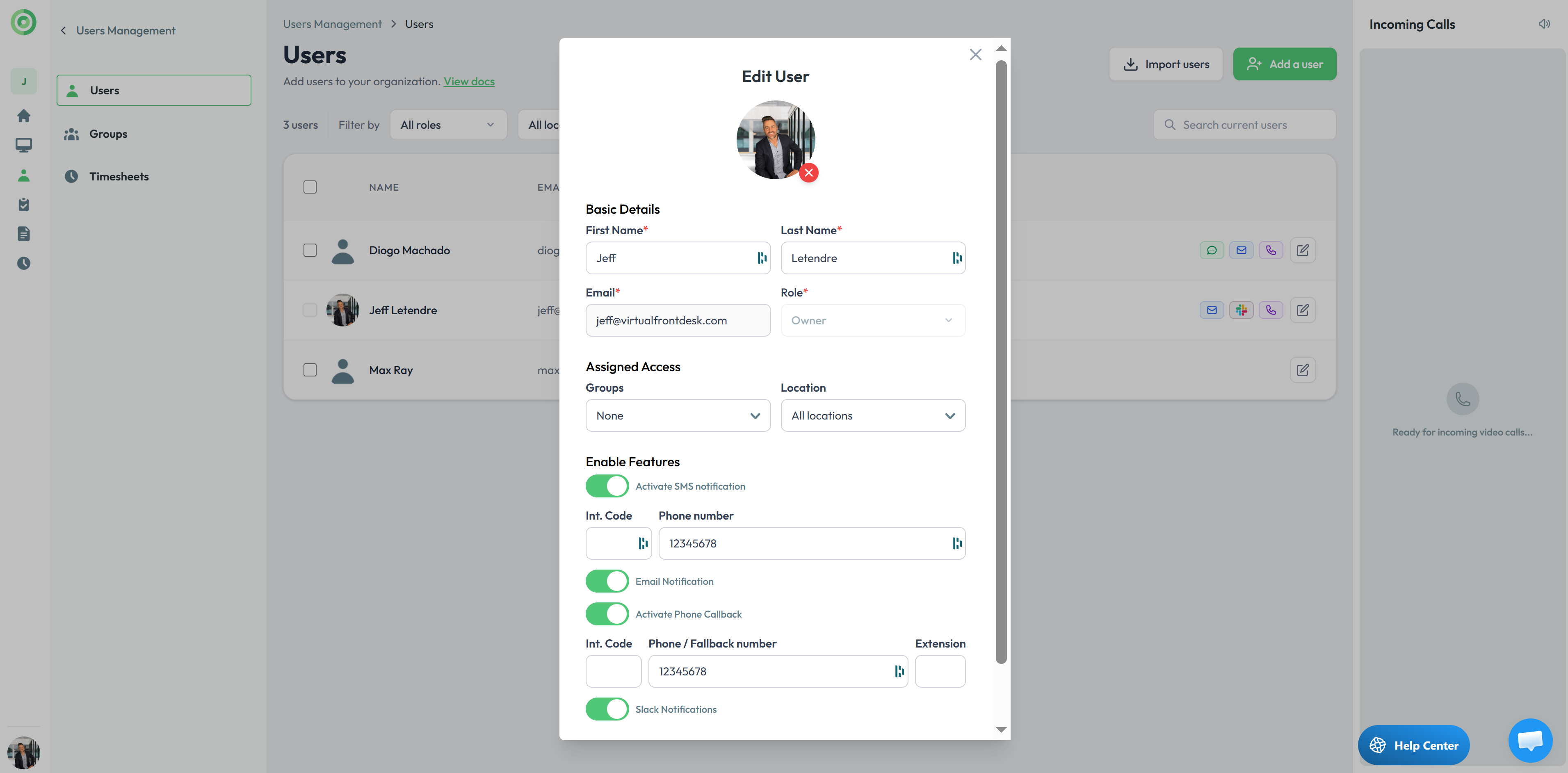
Edit any user, toggle on Call Forwarding, and add a phone number. The system will then:
- Dial the forwarding number when the user is offline.
- Dial the forwarding number if the user is online but doesn't answer a video call within the configured time (for example, 30 seconds).
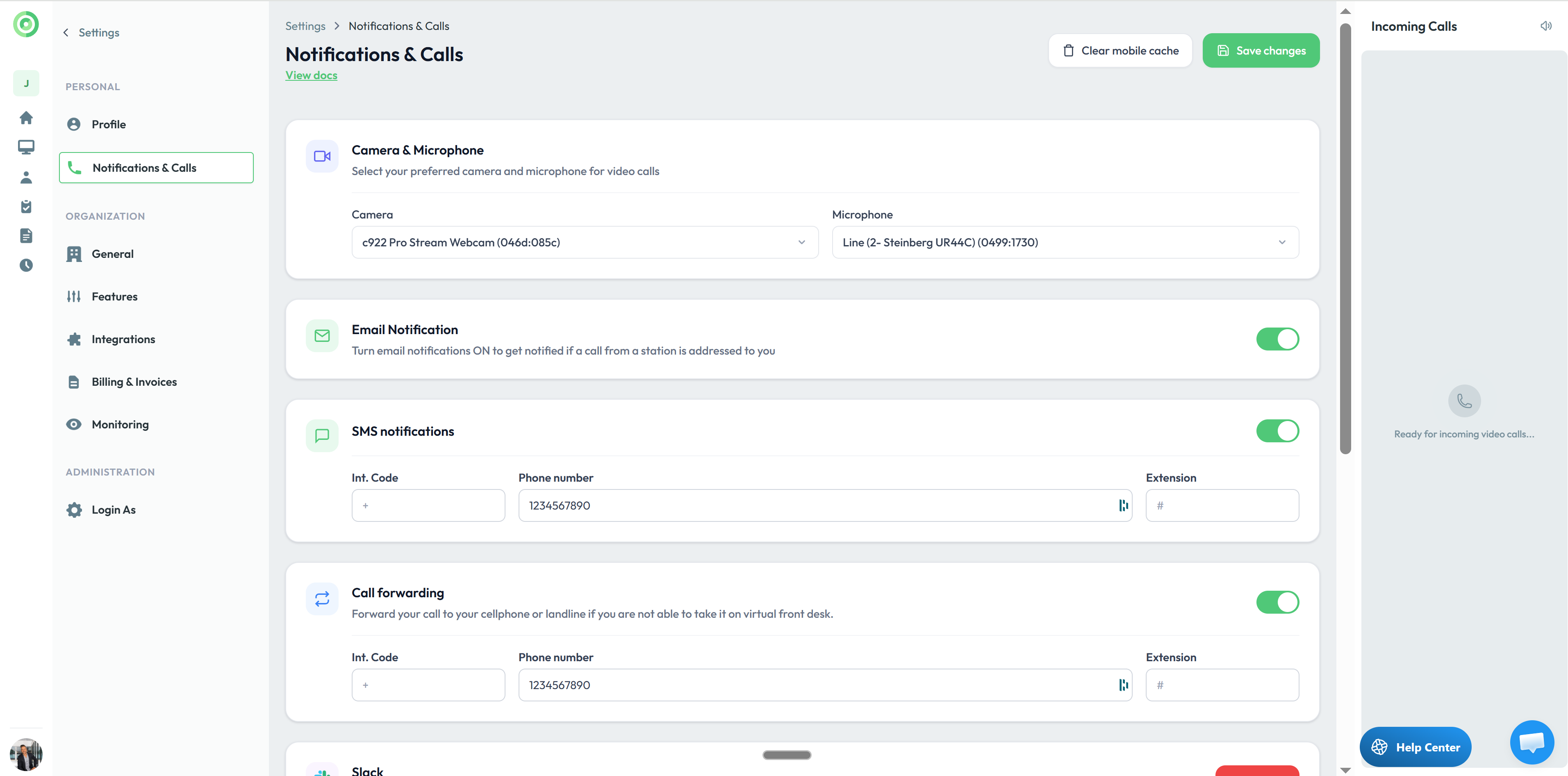
- You also have these options under the Settings menu.
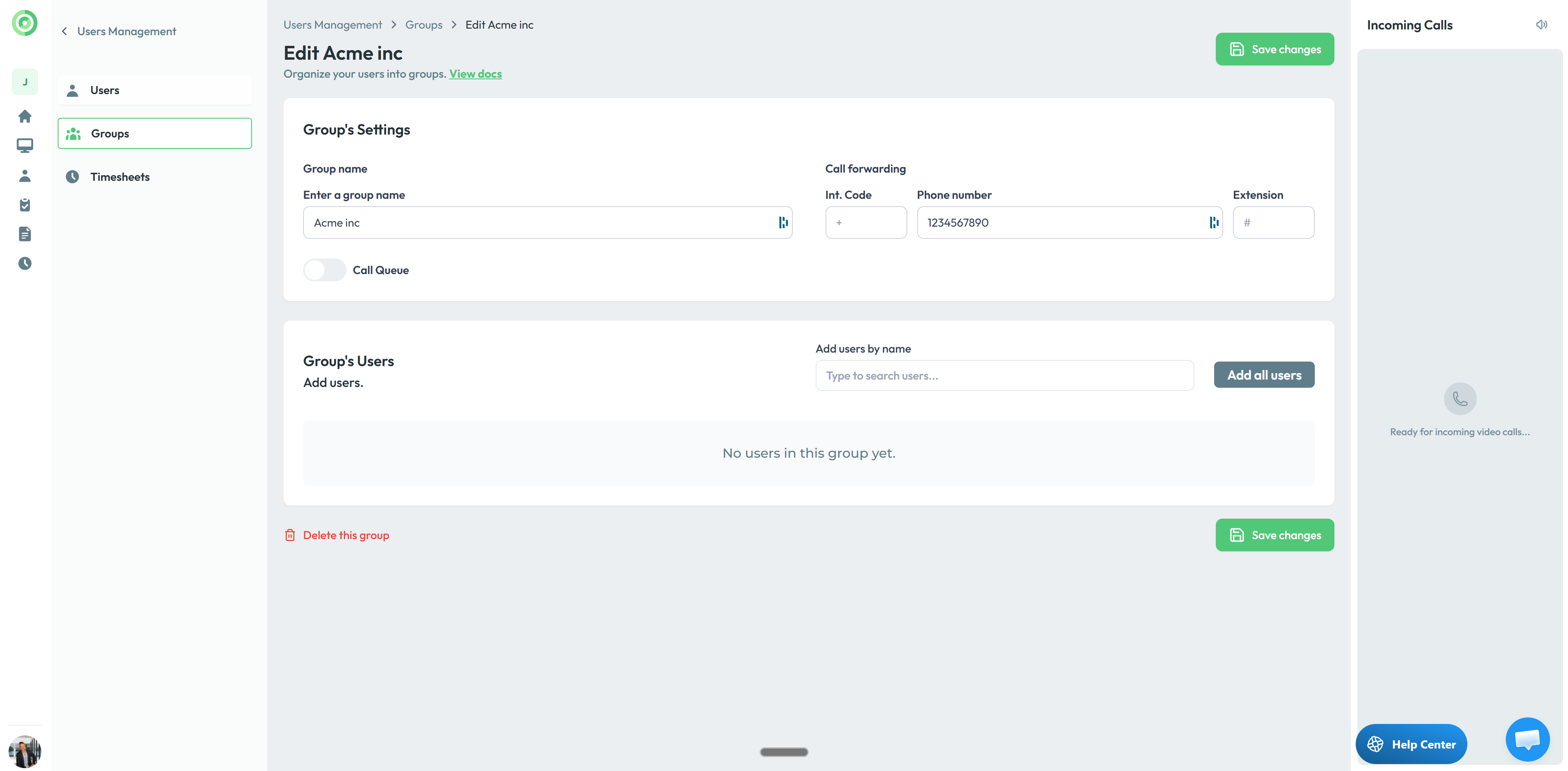
3. Phone-only groups
Create a group that contains only a phone number, no assigned users. When the group is selected, the system automatically dials that number.
This option differs from the single-button phone call setup because it lets you create sub-menu to choose from if you select more than one group for a button. It's especially useful when you want to display a company or department name instead of an individual user. For example, a co-working space can create a group named after each tenant company, enter only the company's phone number, and surface those groups in a sub-menu. Clicking a group's button dials its number directly.