
Slack integration
Slack integration
With the Slack integration, users receive a notification in Slack every time a visitor presses a station button that calls them. Notifications arrive as a direct message, and can also be posted in a Slack channel. The Slack integration is available on all plans.
Setting up Slack takes two steps: an administrator connects your Slack workspace once for the organization, then each user links their own Slack account.
Step 1. Connect your Slack workspace (administrator)
- Click the Settings icon (the gear) next to your name, then under Organization, select Integrations.
- Under Slack workspace, click Connect.
- In Slack, check the workspace and click Allow.
Once connected, the integration shows Connected.

The Slack workspace integration, connected
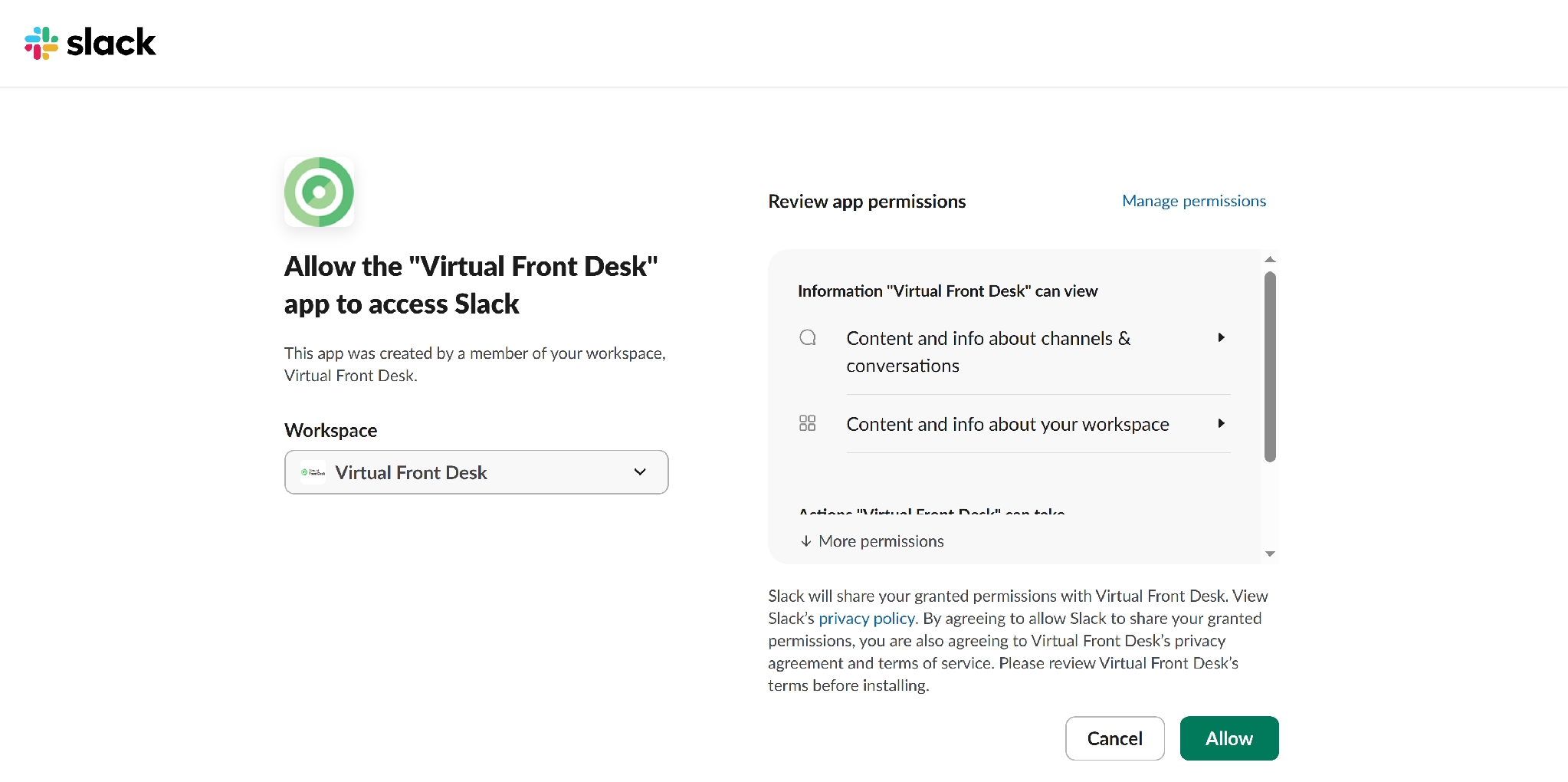
Allowing the Virtual Front Desk app to access Slack
Step 2. Link your Slack account (each user)
- Click the Settings icon (the gear) next to your name, then under Personal, select Notifications & calls.
- Under Connected apps, find Slack and click Connect to Slack, then allow access in Slack.
- Make sure Slack notifications is turned on.
- Optionally, to also post your notifications in a Slack channel, enter the Channel ID and click Save. You always receive a direct message, whether or not you add a channel.
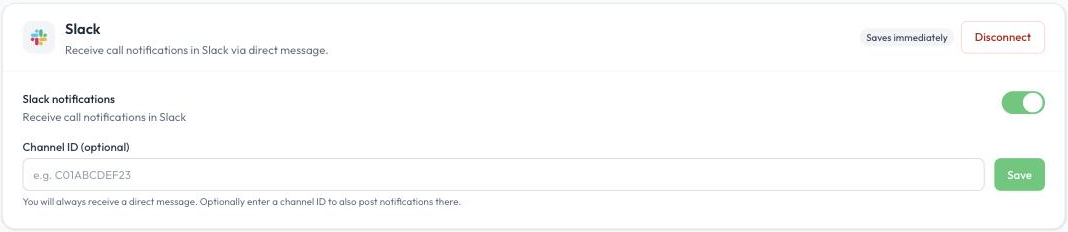
Slack settings under Notifications & calls
What you receive
When a visitor presses a button that calls you, the Virtual Front Desk app sends you an Incoming Call message in Slack with the station, the location and the button pressed.
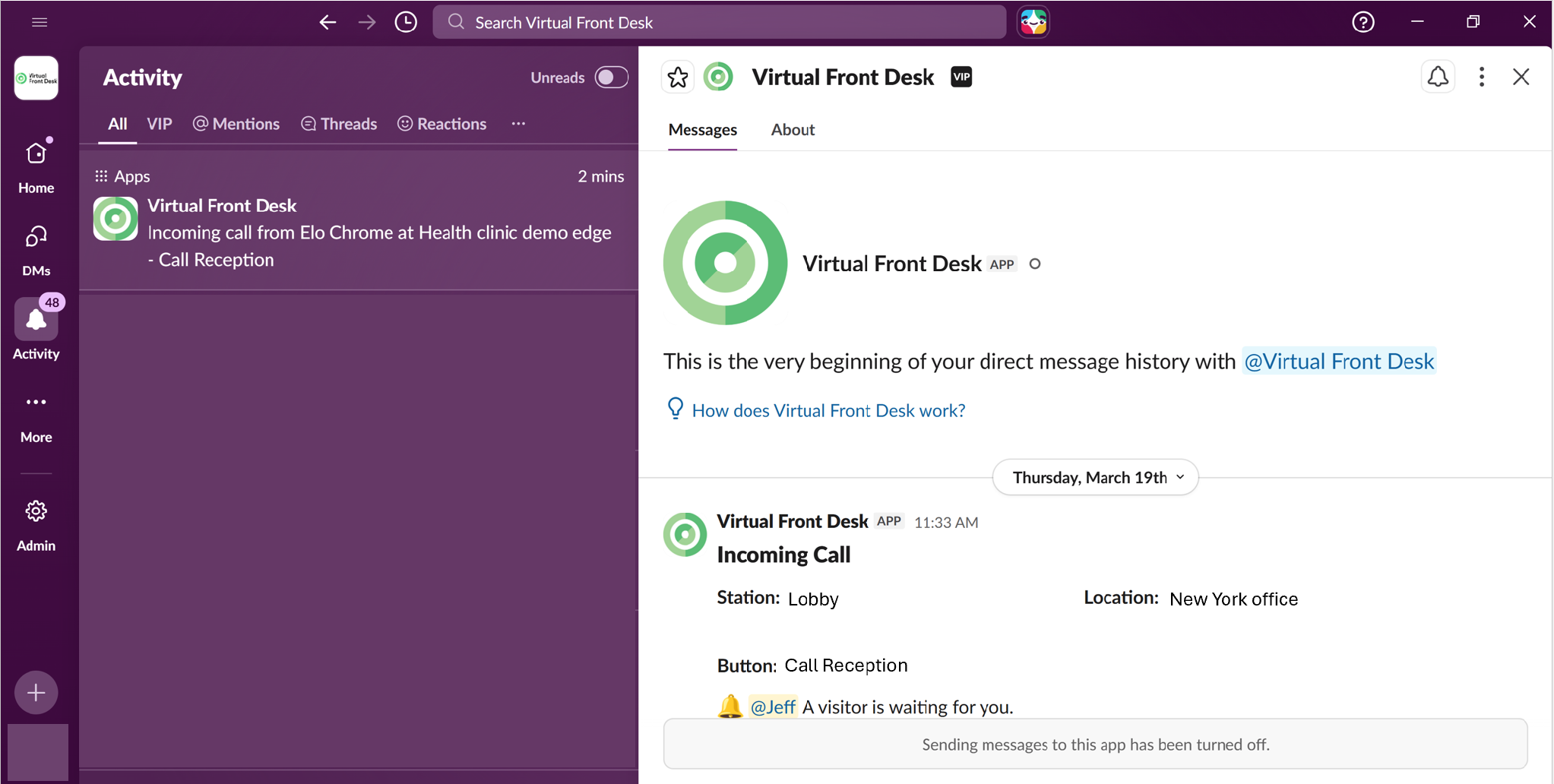
A Virtual Front Desk notification in Slack
Disconnect Slack
To stop receiving Slack notifications, go to Settings > Personal > Notifications & calls and click Disconnect in the Slack section, or turn off Slack notifications. To disconnect Slack for the whole organization, an administrator clicks Disconnect under Slack workspace in Settings > Organization > Integrations.