
WhatsApp Integration
WhatsApp integration
With the WhatsApp integration, you are notified in WhatsApp whenever a visitor presses a station button that calls you. You can receive either a text alert, or a video call link you tap to answer the visitor by video, right from WhatsApp. The WhatsApp integration is available on all plans.
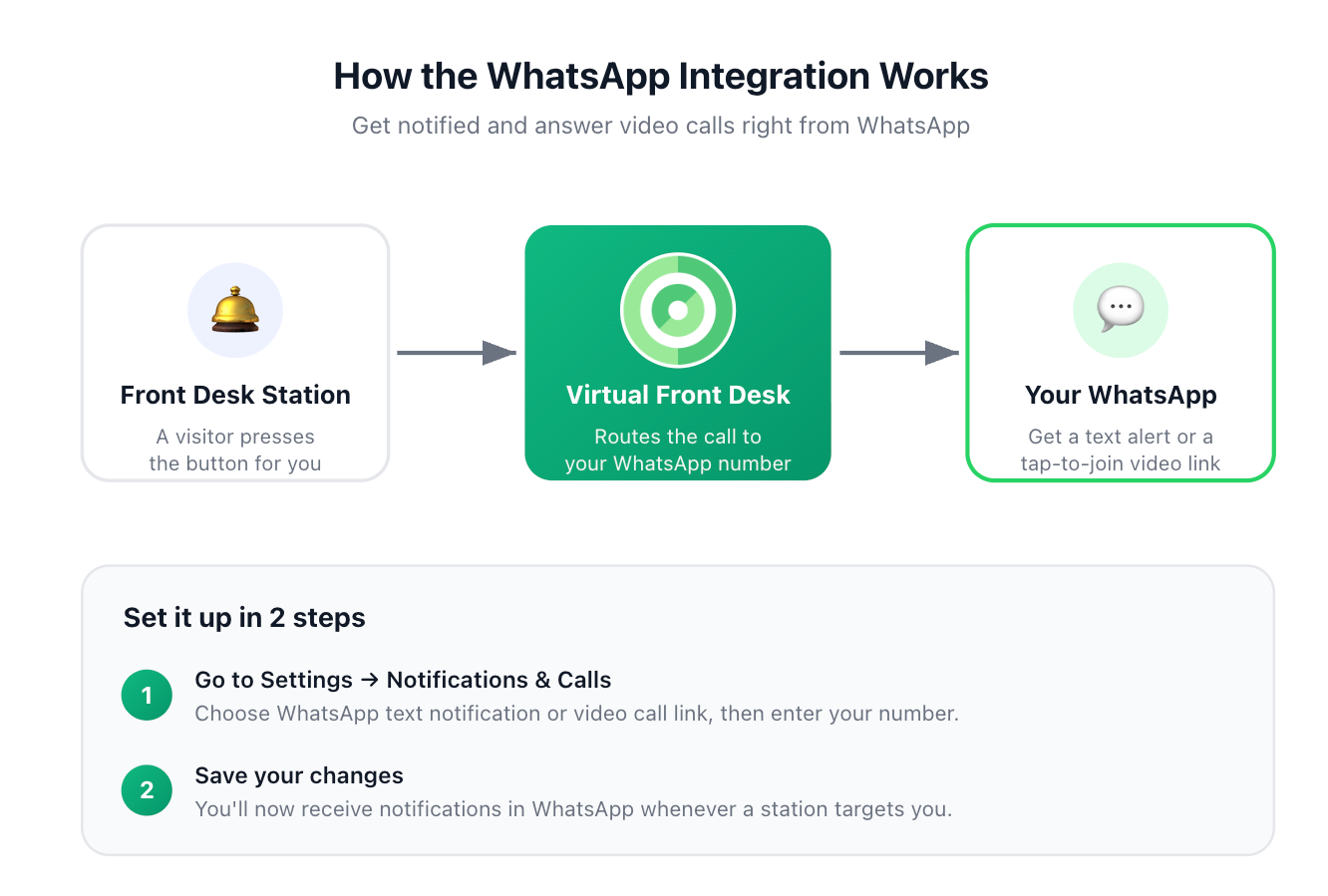
How the WhatsApp integration works
Set up WhatsApp
- Click the Settings icon (the gear) next to your name, then under Personal, select Notifications & calls.
- Turn on WhatsApp.
- Choose how you want to be notified:
- WhatsApp text notification: a WhatsApp text alert each time a station calls you.
- WhatsApp video call link: a WhatsApp message with a tap-to-join video call link.
- Under WhatsApp number, enter the phone number linked to your WhatsApp account.
- Click Save changes in the pop-up that appears.
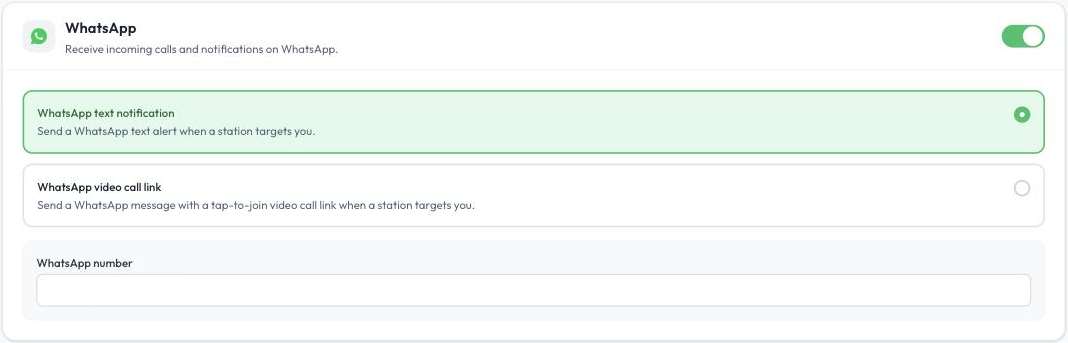
WhatsApp settings under Notifications & calls
From then on, whenever a visitor presses a button that calls you, you receive a notification in WhatsApp.
Note: The first time you join a video call from a WhatsApp link, your phone asks for permission to use your camera and microphone. Allow access so the visitor can see and hear you.
WhatsApp is set up by each user in their own settings. To learn about the other ways you can be notified, read Settings Menu.